ServeWay™ Presenter
Plan the service, put it on the screens, and stream it, all from the same ServeWay™ you already use.
ServeWay™ Presenter is the worship presentation part of ServeWay™. The worship planner, the projector, the band stage and the live stream share one plan, so nobody types the order of service, the lyrics or the verses twice. It is included with the ServeWay™ license, a single $99 license with no monthly fee.
ServeWay™ Presenter is beta software. Our first beta church began using it in November 2026, and it is still changing. Items marked Planned are not available yet.
ServeWay™ Planner: the worship planner
Pick a service date and a service, then start a blank plan, start from the church template, or copy last week’s plan. Add songs, scripture, a speaker, prayer, the offering, announcements or any other item, with a note on each row.
- The sermon, prayer and announcement slides that ServeWay™ already builds go into the plan for that Sunday.
- Give each song a picture or video background from the Media Library.
- Print, email or share the plan with the team.
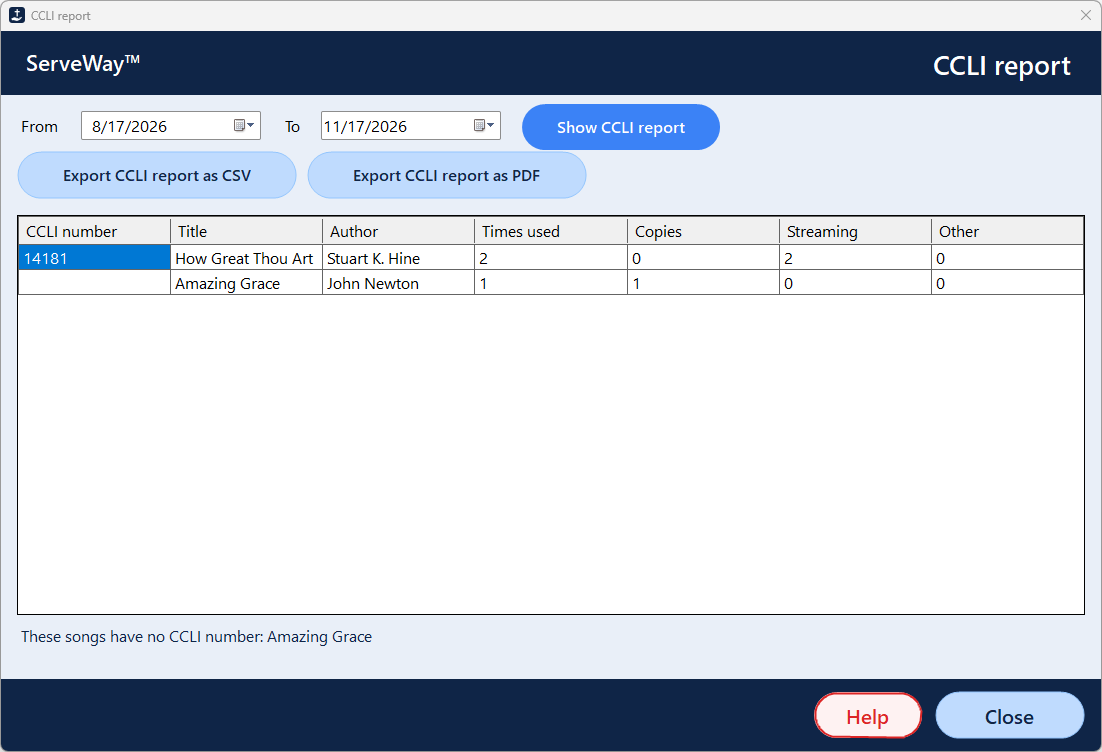
- Songs in a finished service are counted for the CCLI report.
- Press Present to open the plan in ServeWay™ Presenter.
ServeWay™ Planner, up close
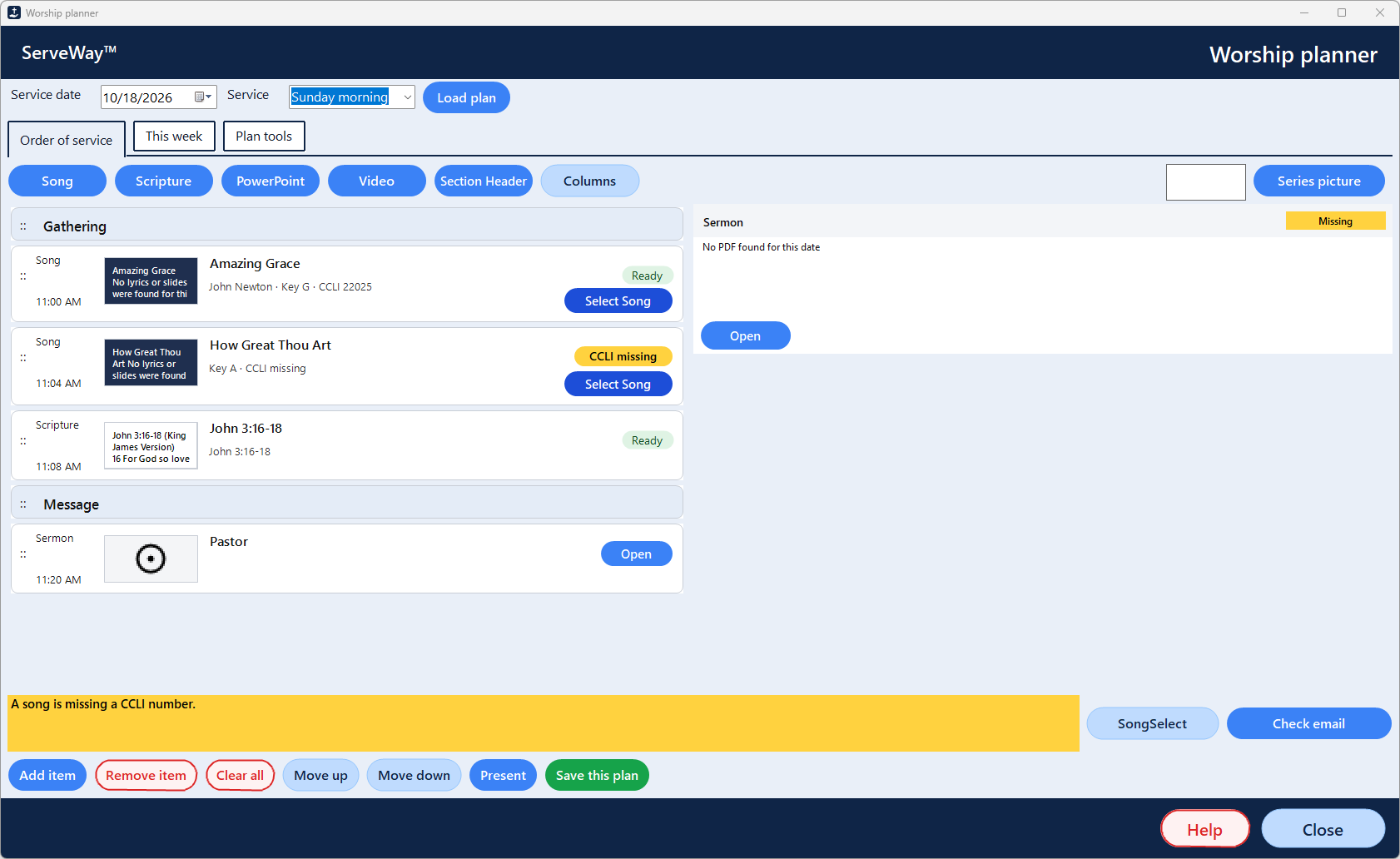
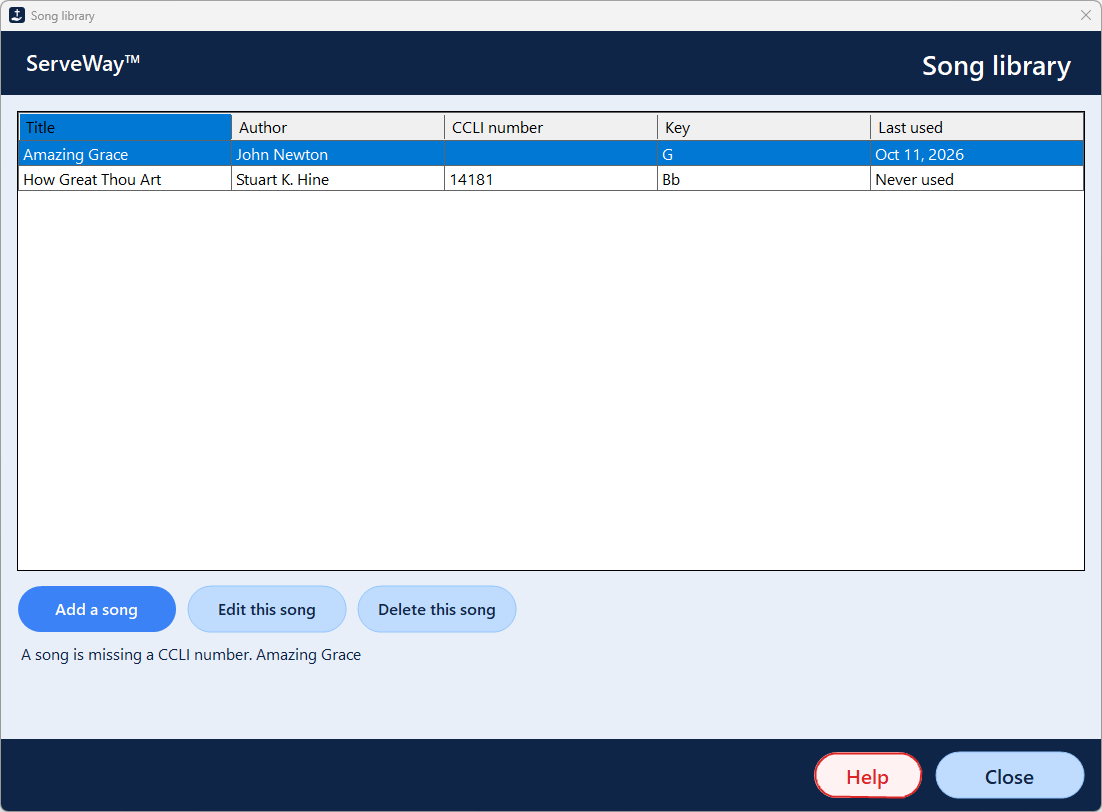
Every Sunday starts in ServeWay™ Planner. The plan is grouped into sections, each song shows its CCLI number and a Ready tag, and a yellow line warns when a song is missing its CCLI number. Present opens the same plan in ServeWay™ Presenter.
Presenter: Live and Next
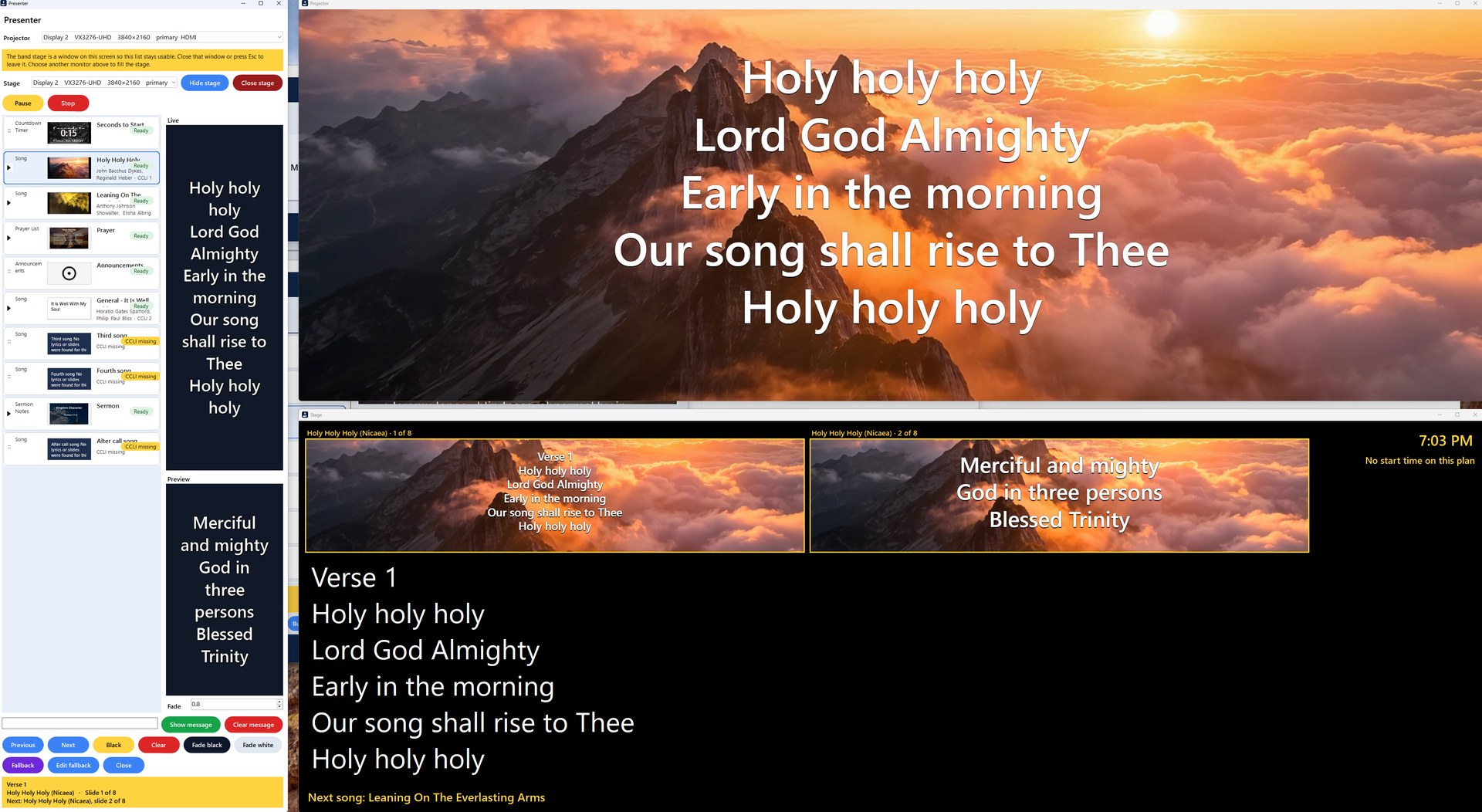
The service list shows every item in the planned order. Click an item to see its slides. Nothing goes on the projector until you press Go Live or double-click, so the operator can look ahead without surprises.
- Live shows what the room sees. Preview shows what comes next.
- Next, Previous, the arrow keys and Page Up and Page Down move through the service.
- Black, Clear, fade to black, fade to white and a pinned fallback slide for a logo, a verse or a please-wait card.
- A countdown before the service, and Pause and Resume for timers and video.
- ServeWay™ remembers which monitor is the projector.
A band stage that keeps the words steady
The band stage goes on its own monitor. Choose Classic (current and next slides, the clock and the lyrics), Band side by side, or Band stacked. Every slide keeps the same point size, so the words never jump between big and small. Type a stage message, such as a key change, that only the band sees. A foot pedal can move the slides, and stage layouts are saved in the church database so every PC uses them.
Song auto-follow Beta
ServeWay™ can listen to the soundboard and move a song’s lyric slides when the singers reach the end of a slide. Turn it on for the whole service or song by song, and set a short delay. The operator, the foot pedal and auto-follow share one slide, and the stage shows which one moved it. Auto-follow uses the speech provider your church sets up under AI Services.
Presentation PC
Mark a PC as the presentation PC, and it opens that day’s worship plan. Pictures, videos and slides reach it through your ServeWay™ website, the church database or church email, never through a folder on someone else’s PC.
Shared editing
The planner and the presenter edit the same items and save to the same plan, so a late change on one PC shows on the other.

Live Stream: scripture and sermon verses in OBS
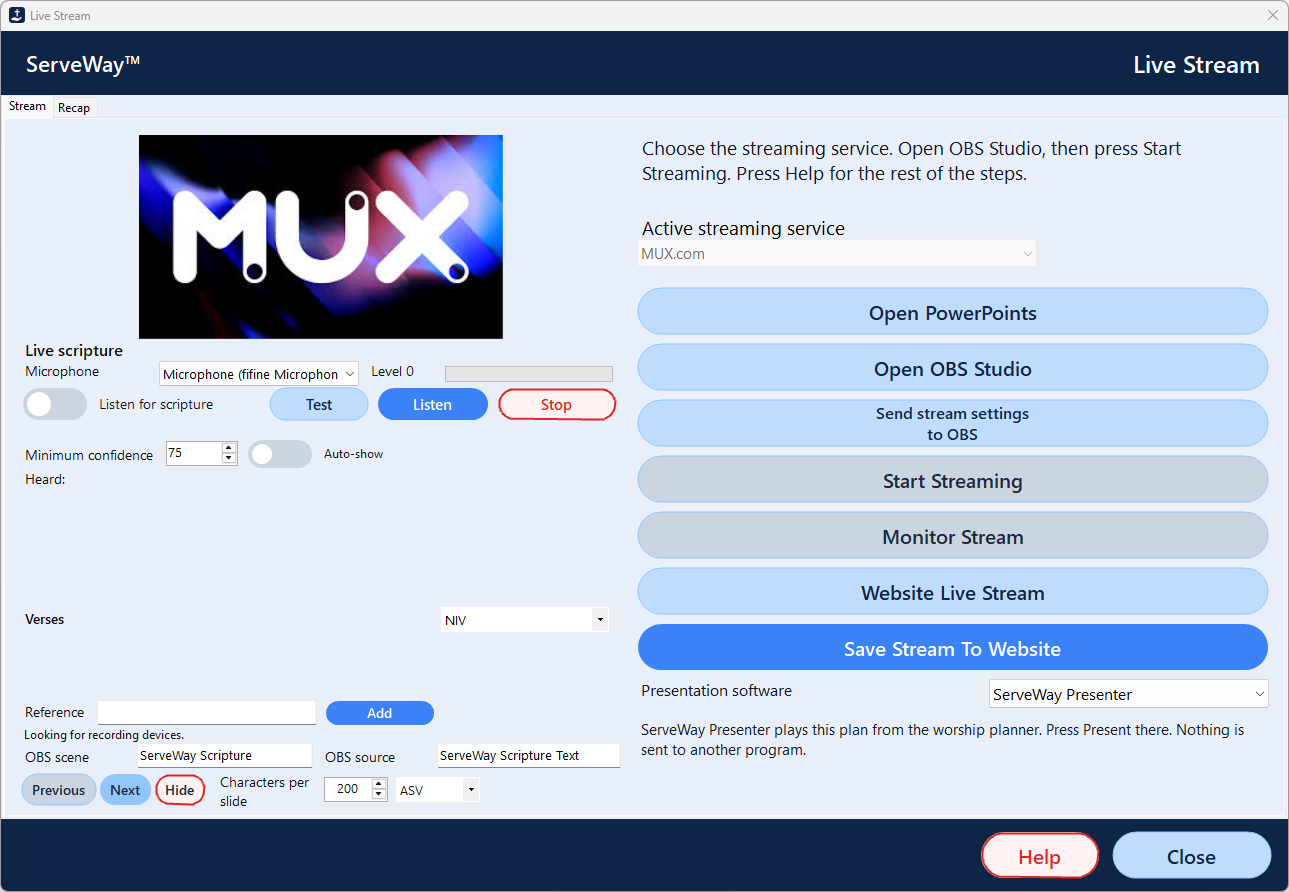
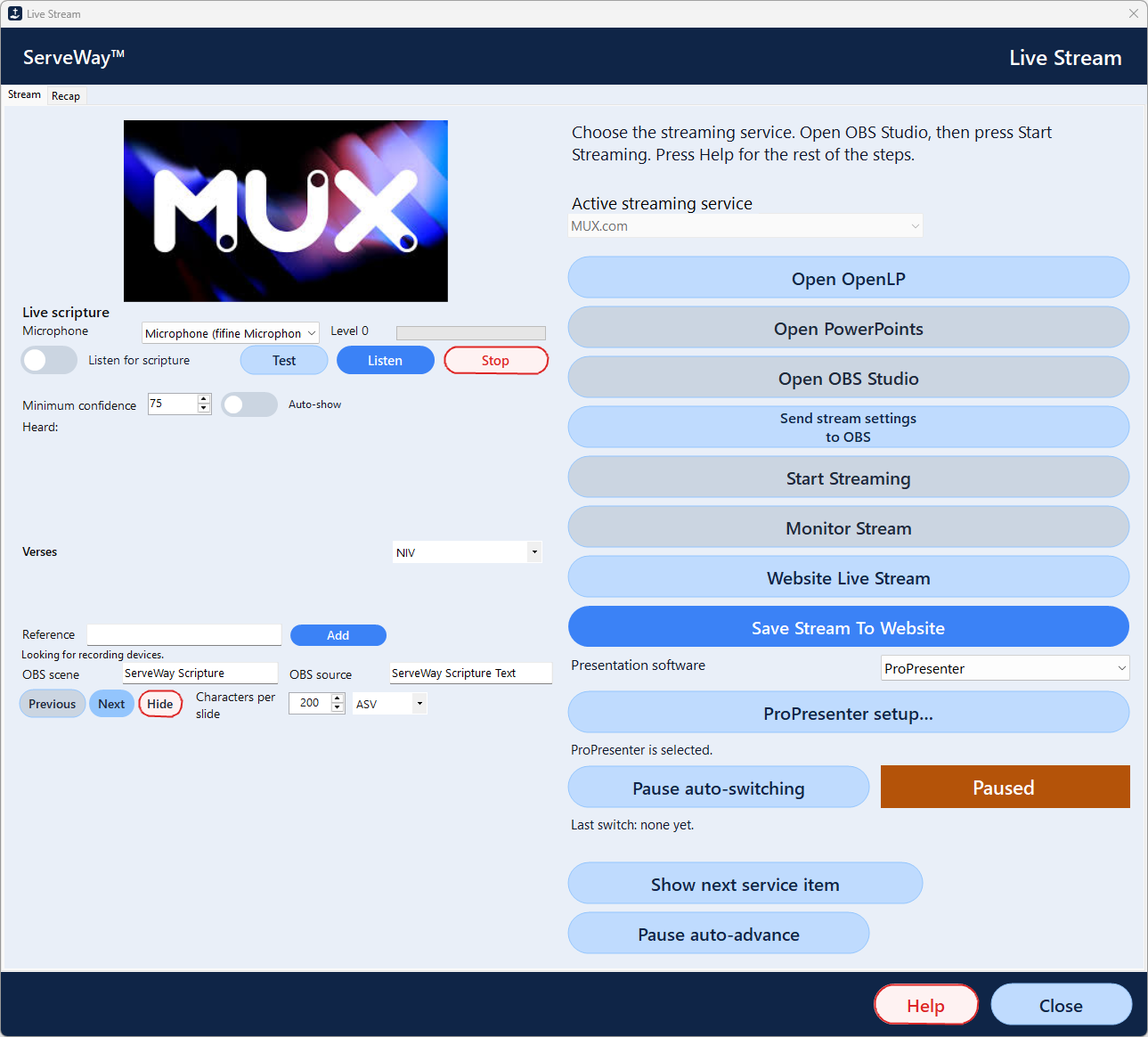
ServeWay™ already sets up OBS Studio for MUX.com, YouTube, Facebook or Vimeo. Now it can put scripture on the stream too.
- One verses list for the service: Planned verses from the sermon notes, verses Added before or during the service, and verses Heard from the pulpit microphone.
- Press Send Live, and ServeWay™ writes the verse into an OBS text source and switches to the scripture scene, with a reference line such as John 3:16 (KJV). Nothing goes on the stream until you press it.
- Long passages are split into slides by characters per slide, without leaving out a word.
- KJV, ASV, WEB, BSB, YLT, Darby, Webster and LSV are on the PC. For a licensed translation such as the NIV, paste the words once and they are saved for that service.
Media Library
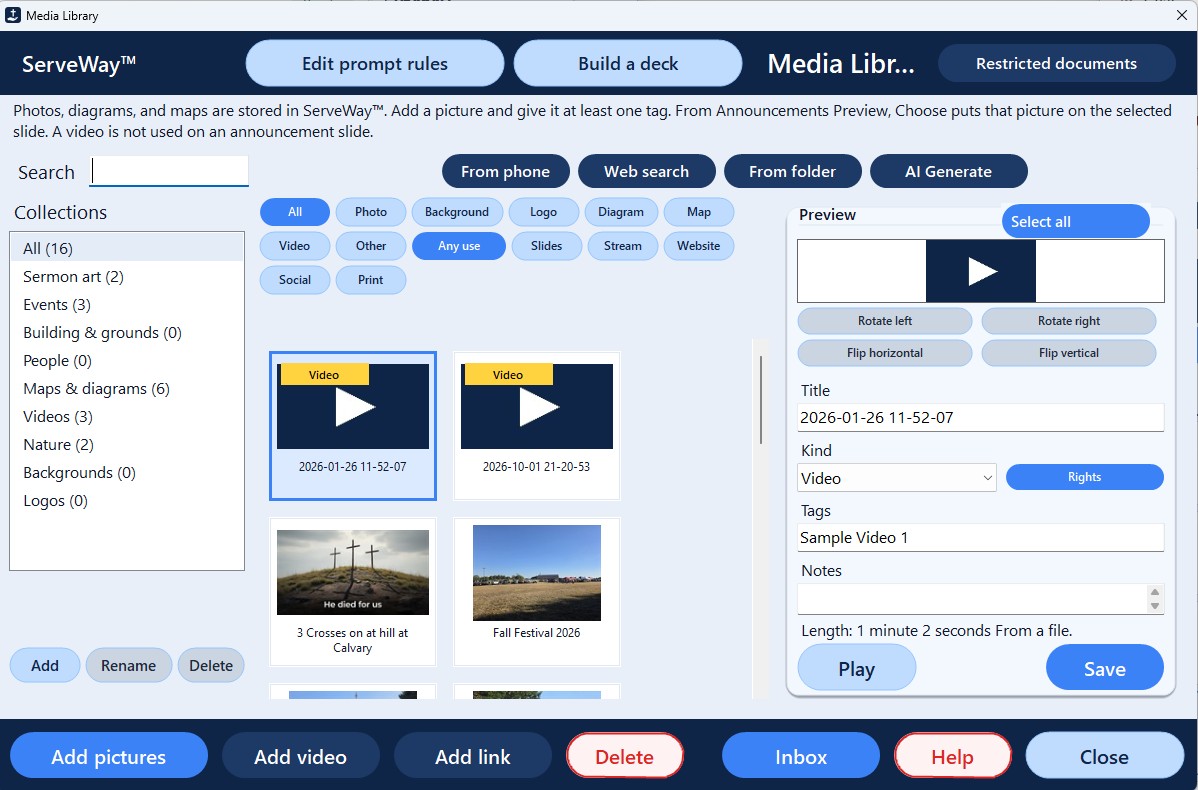
Photos, backgrounds, diagrams and maps are kept in ServeWay™, with tags and collections so the right picture is easy to find. Add pictures from this PC, from a phone, from a web search, from a folder, or with AI Generate. A video is kept as a link to its file or web address.
Pick a library picture or video as a song background or as the fallback slide, right from the presenter.
SongSelect import
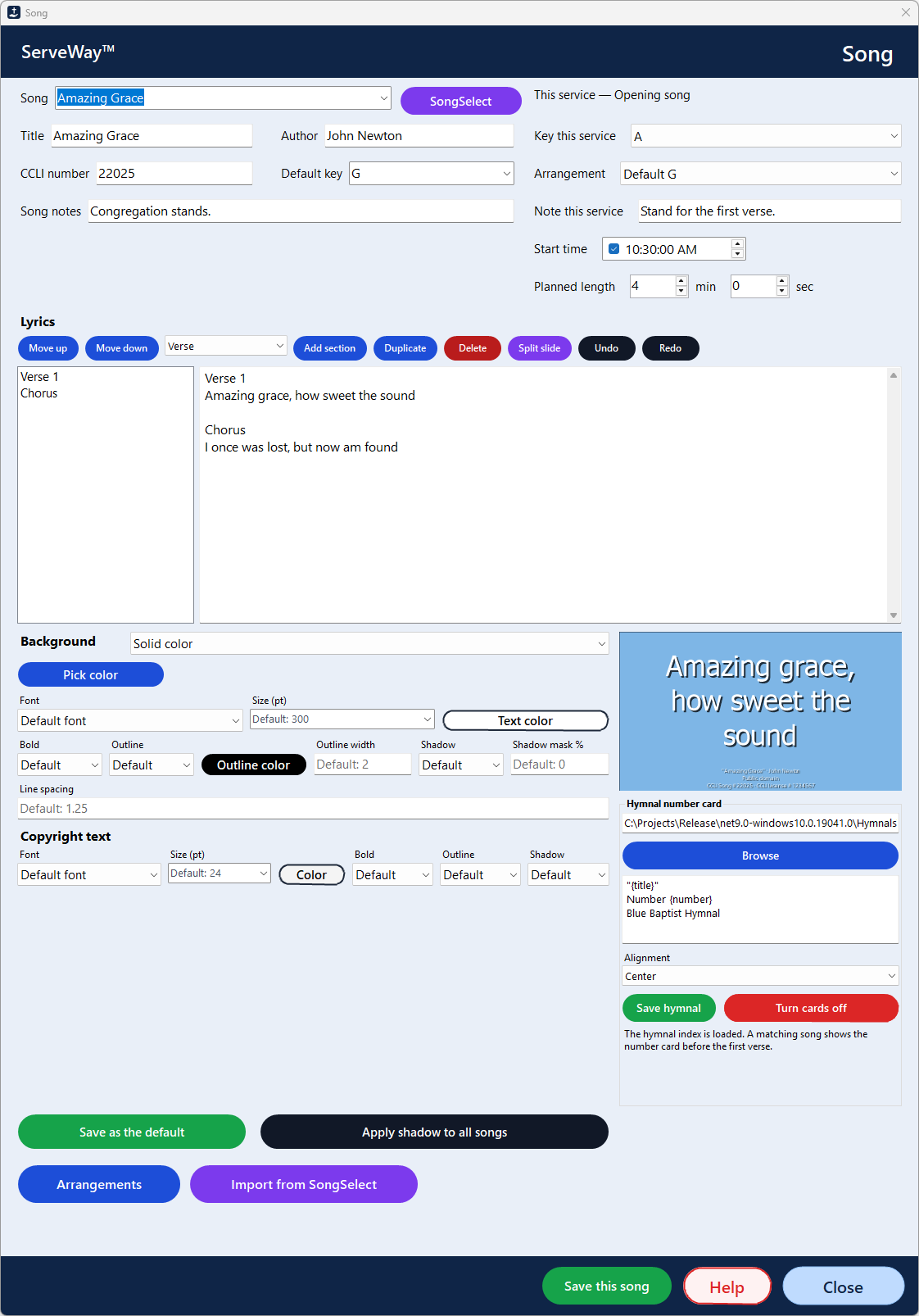
Open SongSelect from the song editor or the planner and sign in with your church’s own CCLI SongSelect account. Import fills in the title, the author, the CCLI number and the lyrics, and the song is ready for the service. Your church needs its own CCLI license and SongSelect subscription.
Already using another presentation program?
You don’t have to switch. Each PC chooses its presentation software: ServeWay™ Presenter, ProPresenter, EasyWorship, OpenLP, FreeShow or none. Here is what ServeWay™ does with each one today.
| Program | What ServeWay™ does |
|---|---|
| ServeWay™ Presenter Built in | Plays the worship plan directly. No file is exported and no other program is needed. |
| ProPresenter 7 | Builds the ProPresenter playlist from the worship plan, can move ProPresenter to the next item in the service order, and sends scripture to it. More about ProPresenter |
| EasyWorship 6 or 7 | Writes an EasyWorship schedule file for the plan, in order, with songs matched by title and CCLI number, or a dated folder with the PowerPoints and the order of service. |
| OpenLP | Live Stream opens OpenLP for you. ServeWay™ does not export the plan to OpenLP. Planned OpenLP on the presentation PC. |
| FreeShow | Live Stream can open FreeShow and test its connection. Planned Sending slides, scripture and messages to FreeShow. |
ProPresenter, EasyWorship, OpenLP, FreeShow, OBS Studio, CCLI and SongSelect are names of their owners. ServeWay™ is not affiliated with or endorsed by them.