What is the Canvassing Network?
The Canvassing Network is a combined outreach map for churches that use ServeWay™. When a church goes door to door with ServeWay™ Neighborhood canvass, it can choose to share where it has been. Churches in the network can then see which streets and homes have already been visited and avoid covering the same ground.
What the network map shows
- Each visited home is a dot, colored by how far the visit went: Go (prayed over), Listen (heard a prayer request), Care (served them), Share (shared the gospel), or Already a believer. A black outline means more than one church visited that home.
- Totals by church, and the streets covered by more than one church.
- Find a place on the map by address, city, state, ZIP code, or coordinates.
What is shared, and what never is. A church shares only the home address, the map point, the outreach steps, the visit date, and the church. The map shows only street names and dots. House numbers, names, phone numbers, email, prayer requests, and notes are never shown.
Canvassing in ServeWay™
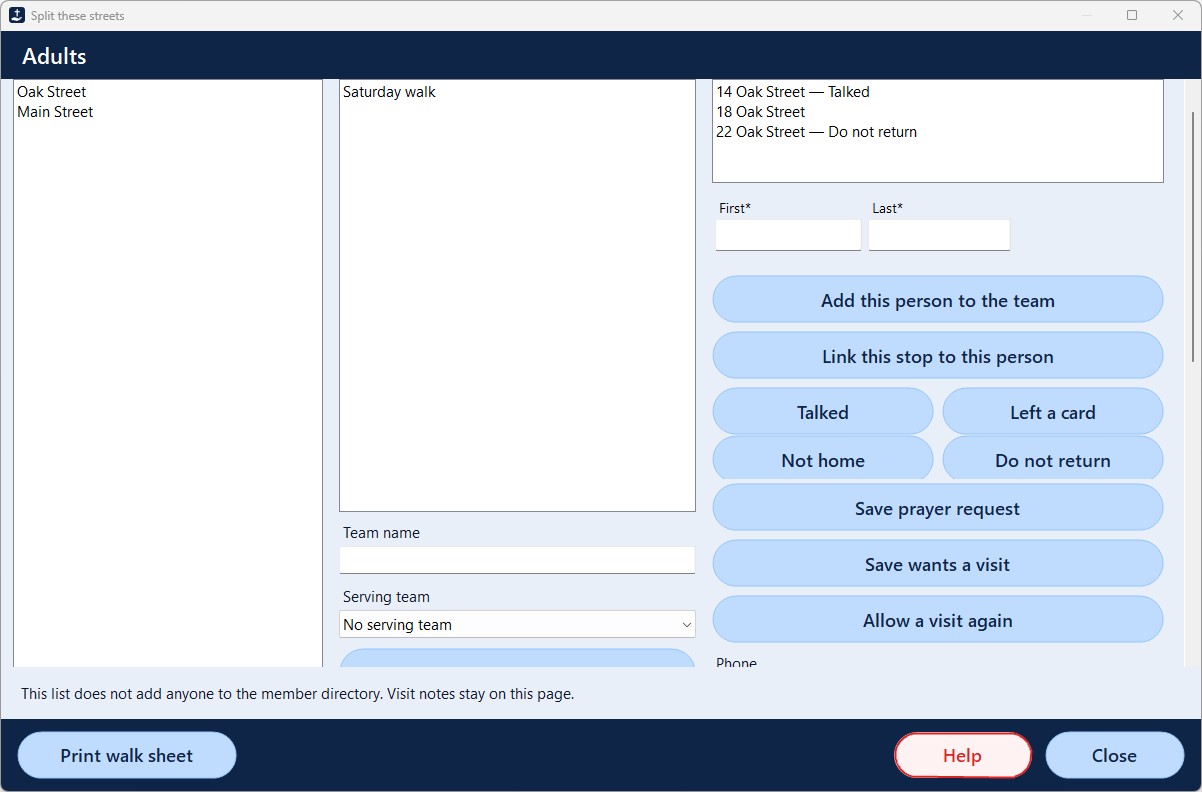
- Draw an area on the map, load its houses and businesses from OpenStreetMap, and give each street to a class or group. Leaders can split the streets among teams.
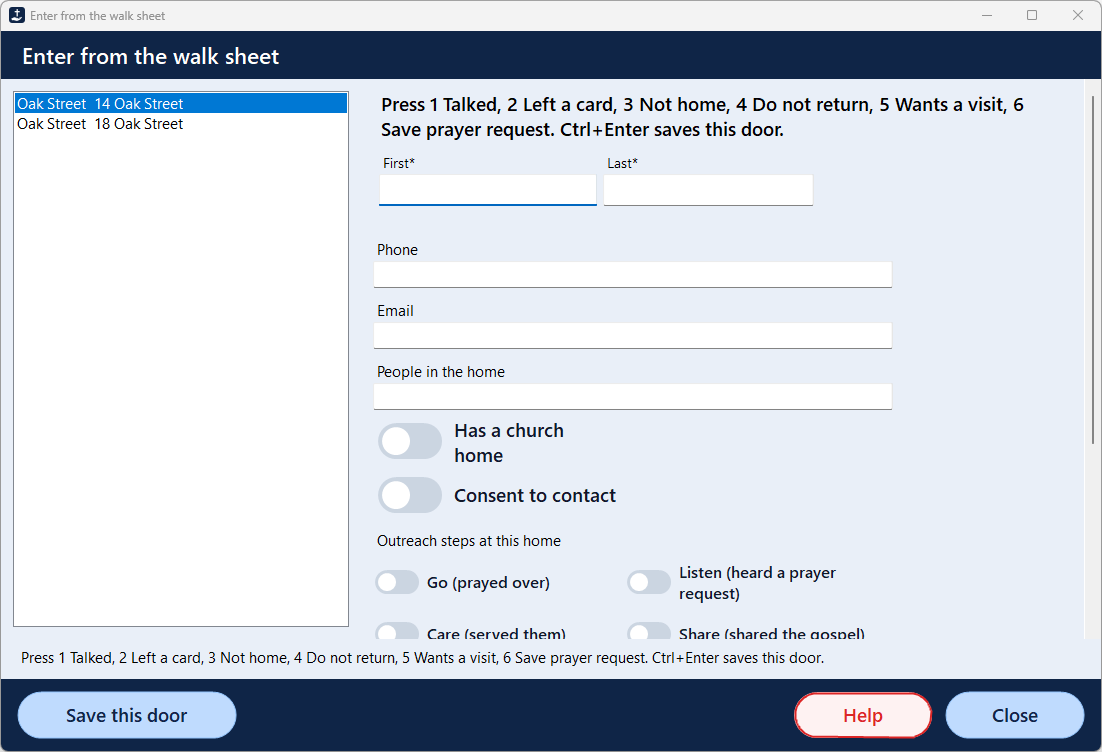
- Print walk sheets, then type the results from the walk sheet, or import the scanned sheets. The church’s AI provider reads the tick boxes and handwriting, and nothing is saved until you confirm each door.
- Team members can use a signed-in phone page on the church website that shows only the streets given to them.
- Record Talked, Left a card, Not home, Do not return, Wants a visit, or a prayer request. People you meet can be saved as prospects with the same visitor follow-up. Nobody is added to the member directory, and prayer requests go to the Approval Queue without the street address.
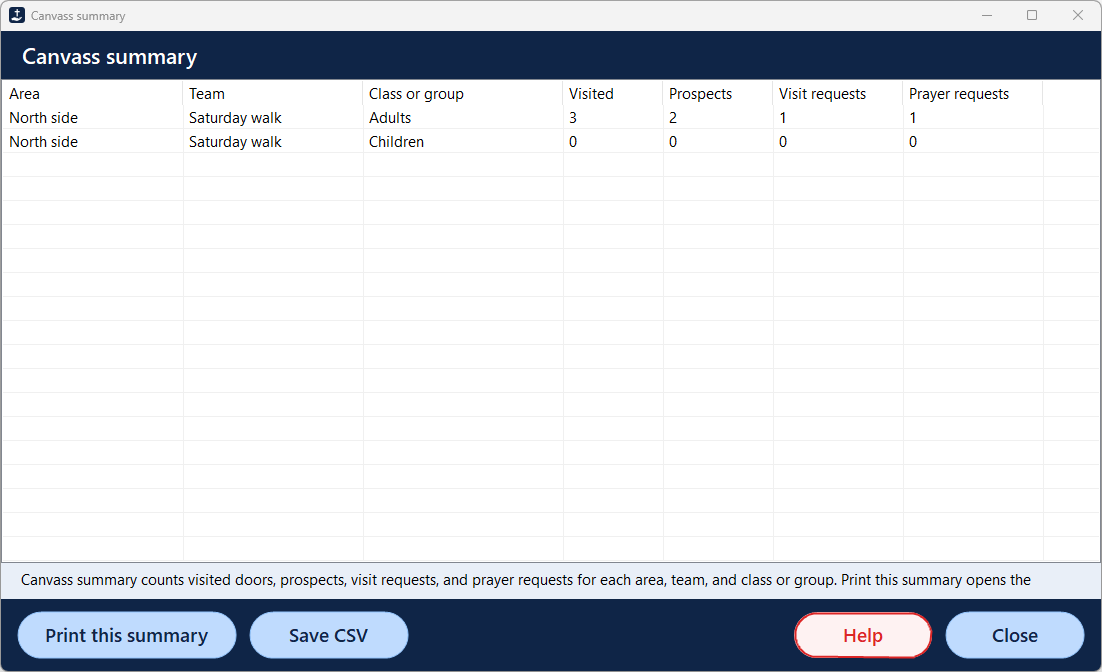
- Canvass summary counts visited doors, prospects, visit requests, and prayer requests for each area, team, and class or group.
Who can see the map, and how to join
The map is for network leaders, approved church staff, and administrators. After you sign in, you can ask for network map access as a network leader or as a pastor or staff member at a church in the network.
A church joins with a one-time join code. Apply on the Join the Outreach Network page or from App Settings in the ServeWay™ app. The join code is entered in the ServeWay app, under App Settings, Accounts, ServeWay network. It is not a website sign-in.