Features
See what ServeWay™ does for your church. Each section below shows a feature, how it works, and how it saves your staff time and helps your members stay connected, informed, and involved. Smaller features are listed further down.
Sermon notes become a slideshow with one click. Prayer requests land on the prayer list once approved. Facility requests show up on the calendar once approved by staff.
Saves time. Reduces mistakes.
ServeWay™ is church ministry software for Windows 11 Pro. One-time $99 license. No monthly bill.
- Big buttons for each ministry area
- Buttons turn on only for roles that allow them
One app instead of many
One app instead of many. Enter it once. ServeWay™ puts it everywhere it belongs.
Many churches piece together separate tools. Each one has its own login, its own list of people, and its own bill. ServeWay™ does these jobs in one Windows app.
| Job | What many churches use now | Published price | In ServeWay™ |
|---|---|---|---|
| Church database and directory | Planning Center People, or Breeze (Tithely Church Management) | $0 (People) or $72/mo (Breeze)1 | ✓ Included |
| Child check-in and labels | Planning Center Check-Ins | $15–$32/mo (30–75 check-ins a day)1 | ✓ Included |
| Serving teams and schedules | Planning Center Services | $15–$32/mo (20–50 team members)1 | ✓ Included |
| Room booking | Planning Center Calendar | $15/mo (5 rooms)1 | ✓ Included |
| Online giving | Planning Center Giving, or Tithely Giving | $15–$32/mo (Planning Center) or $0/mo (Tithely), plus card fees2 | ✓ Included |
| Group texting | Text In Church, or Clearstream | $30–$35/mo1 | ✓ Included |
| Email newsletters | Flocknote Starter | $42/mo (101–200 members)1 | ✓ Included |
| Church website | Tithely Sites, or Nucleus | $19/mo (Tithely Sites) to $65–$99/mo (Nucleus)1 | ✓ Included |
ProPresenter is not replaced. ServeWay™ works with it: nursery messages, the check-in headcount, and stage alerts.
ServeWay™ Complete Bundle
App, website build, website and database hosting, Tier 1 support, and member pages. Tier 2 support is +$50 a year. Giving uses your church’s own Stripe account at Stripe’s standard 2.9% + 30¢, with no ServeWay™ markup. Tithely still works.3 Texting, AI, email, and streaming services bill you directly.5
Just want the app? $99, one time, for a lifetime license. Just want a hosted website? $29.99 to build, then $9.99 a month, billed yearly. Try ServeWay™ free for 45 days. No credit card needed.
Tight integration
Enter it once. It flows everywhere.
Separate tools mean typing the same name again and again. In ServeWay™, every part of the app shares the same information.
A visitor on Sunday
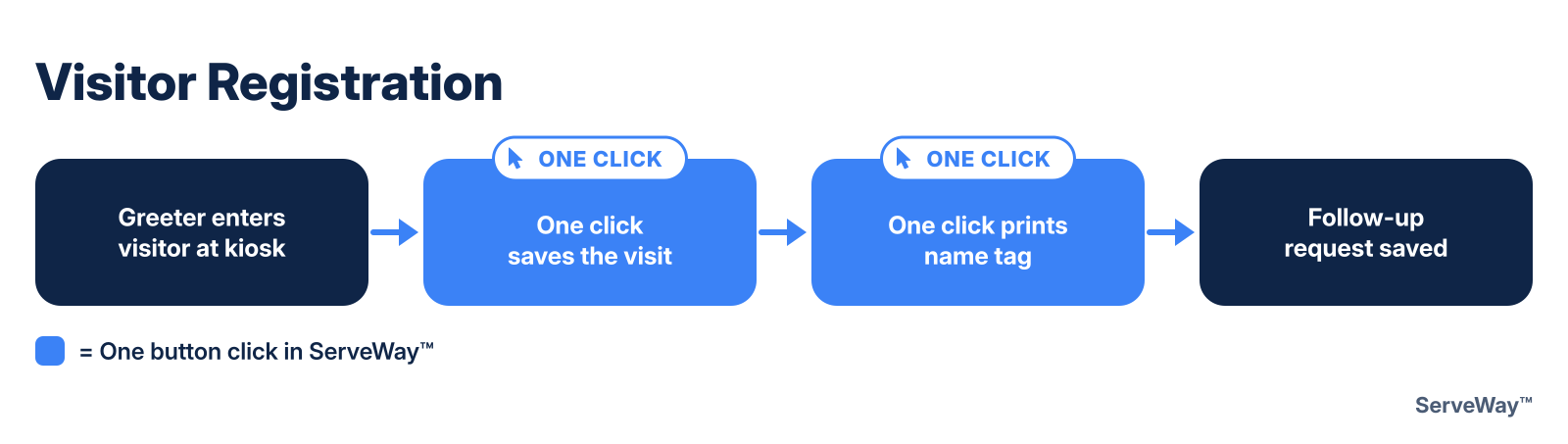
- A greeter types the name at the kiosk
- A name tag prints
- The welcome series starts
- A follow-up is opened for staff
A neighborhood walk
- A team marks a stop “prayer request”
- It waits in the prayer Approval Queue
- Once approved, it is on the prayer list
Sunday check-in
- Children are checked in
- The ProPresenter headcount updates
- The count fills in attendance on the announcement slides
One calendar
- Add an event once
- It shows in the newsletter
- On the lobby wall calendar
- And on your website
One login
- A member signs in to ServeWay™
- The same user name and password work on the church website
80+ features
Six jobs. One app.
Welcome and care for people
Every guest gets noticed, welcomed, and followed up with.
- People, households, and a printable church directory
- Enter a visitor at the kiosk and print a name tag
- A welcome series by email, and a follow-up for staff
- “Missed recent weeks” shows who has been away
- Milestones, prayer requests, and a prayer list for each class
Sunday morning: kids, classes, and counts
Check-in is fast, kids are safe, and the counts add up on their own.
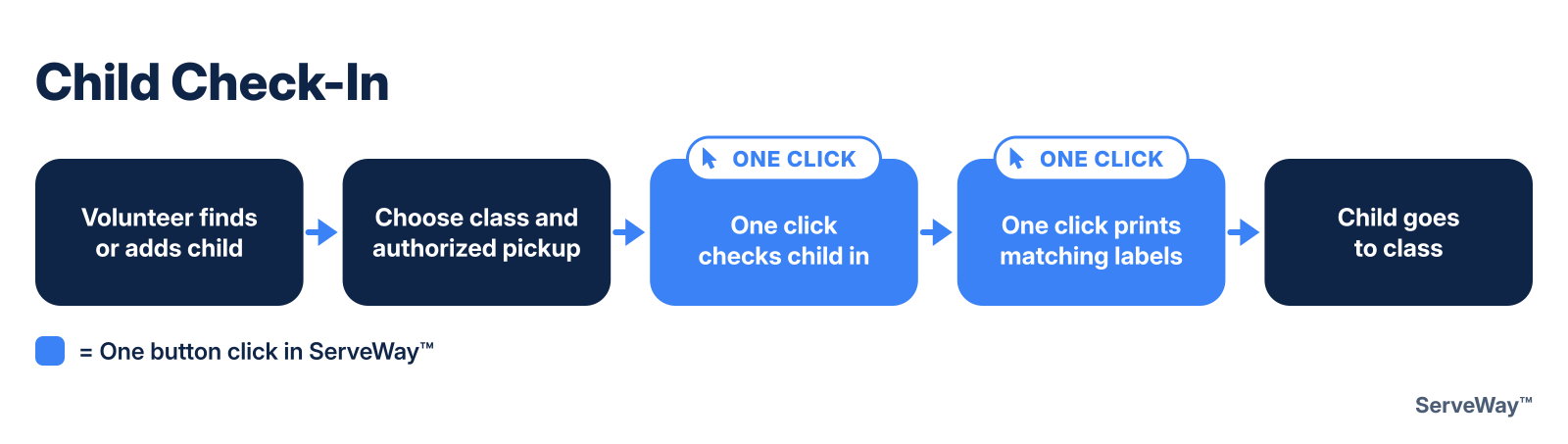
- Child check-in with two matching labels
- Authorized pickups, allergies, and photos at checkout
- Sunday School attendance and class counts
- Worship attendance for your slides
- Kiosk mode and multi-monitor setup
Reach your neighborhood
Plan a canvass on a map and know who to visit next.
- Neighborhood canvass with a street map
- Give streets to a class, then split them into teams
- Print walk sheets, or use the phone page
- Prospects: enter results on a phone, or scan the walk sheets
- “Wants a visit” opens a visitor follow-up
Keep everyone informed
One calendar and one set of groups keep every message in step.
- Email, text, and voice messages to groups, plus urgent alerts
- Newsletters by email, also posted to your website
- Announcement slides and a handout PDF
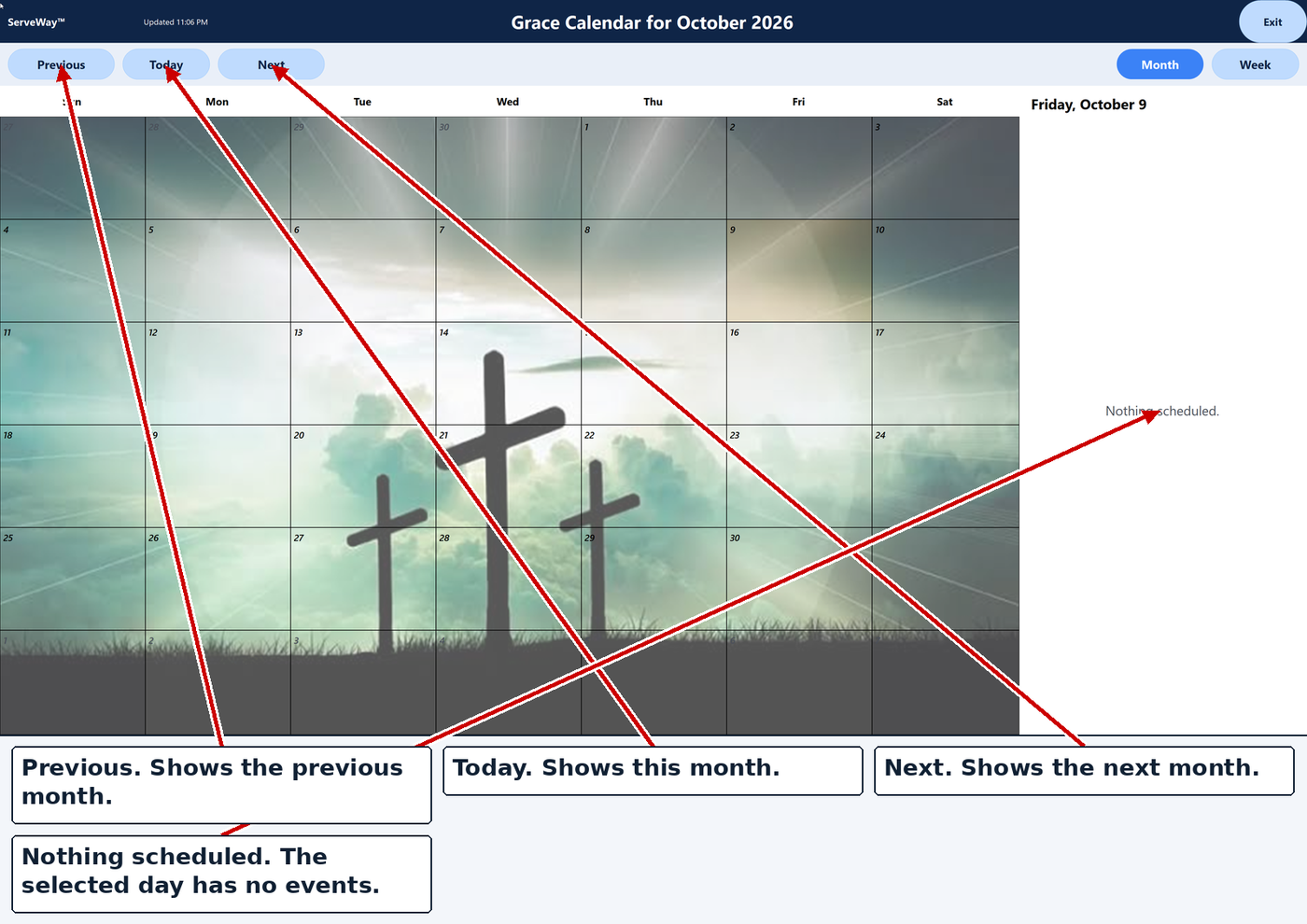
- Monthly calendar, lobby wall calendar, and events
- Facility requests with an approval queue
Plan worship and serve together
Sunday’s slides, teams, and stream are ready in a few clicks.
- Sermon notes become PowerPoint slides and a PDF
- Serving teams and schedules, such as nursery and security
- Works with ProPresenter: nursery messages, headcount, stage alerts
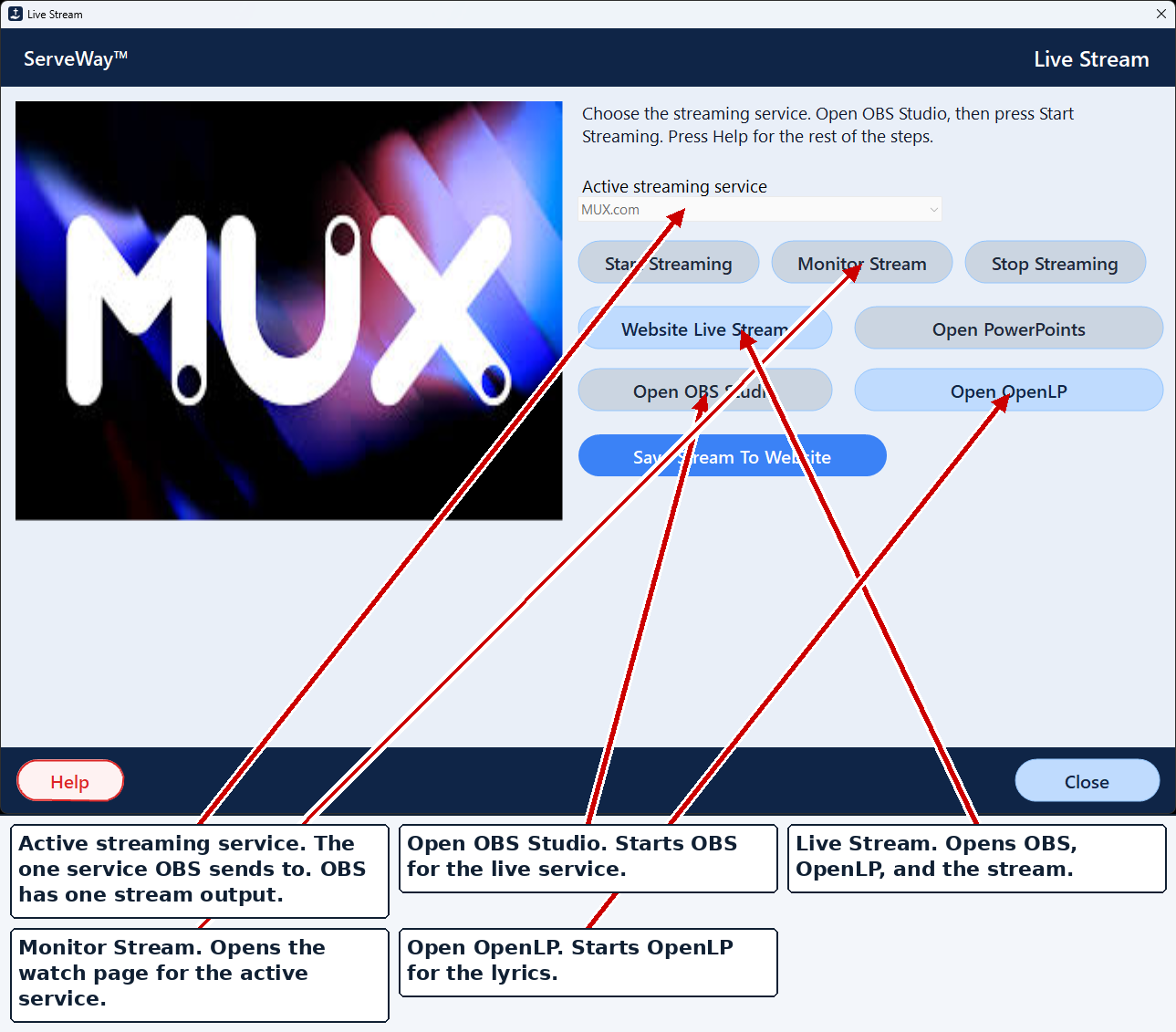
- Live streaming with OBS to YouTube, Facebook, Vimeo, or MUX.com
- One click puts the sermon on your website
Care for the money
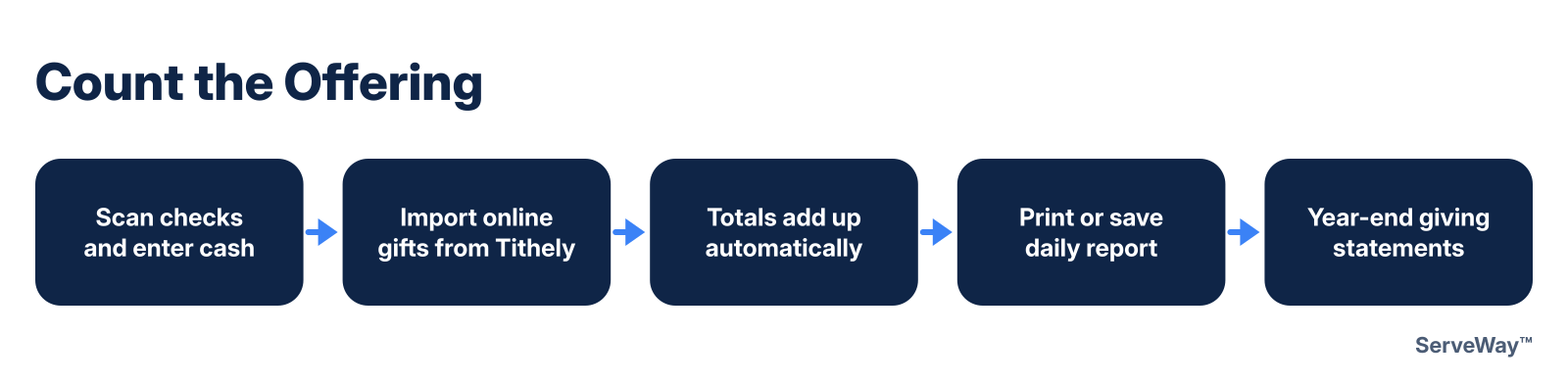
Count the offering faster and keep clean records.
- Check scanning with AI reading suggests giver, amount, and fund
- Cash by envelope or loose cash, and split gifts
- Online giving through your own Stripe account, or Tithely
- Year-end giving statements
- Budget and expense requests
Under every job
Safe, simple, and in your language.
- Website plugin with member pages and the same login
- Backups and two-factor sign-in
- English, Spanish, Portuguese, and Korean
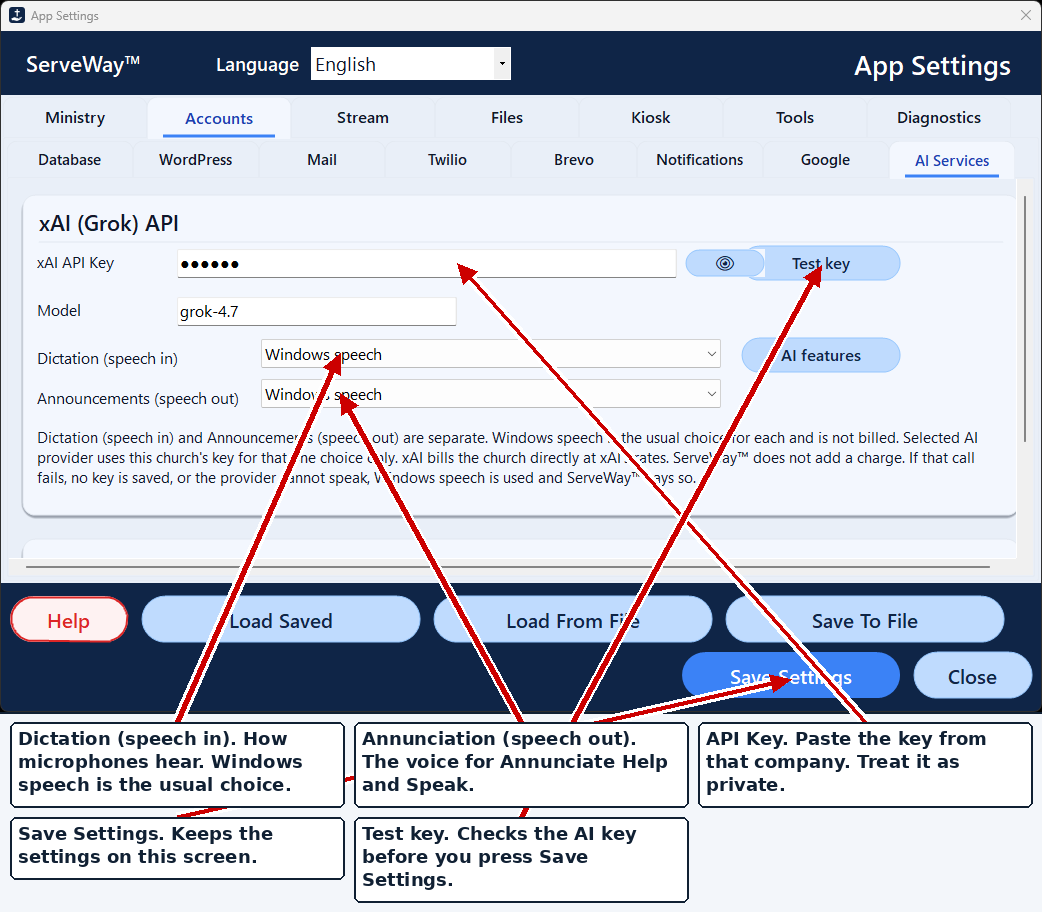
- AI writing helper and dictation, when you turn them on
Download the free 45-day trial
- Prices are each company’s published US monthly price, checked October 14, 2026. Prices change. Companies that only give quotes are left out. Sources: Planning Center, Breeze / Tithely Church Management, Tithely, Text In Church, Clearstream, Flocknote, Nucleus.
- Every giving tool has card fees. Planning Center lists 2.15% + $0.30. Tithely lists 2.9% + $0.30.
- Stripe’s standard rate is 2.9% + 30¢ per card charge (stripe.com/pricing). Your church is the merchant of record.
- A lean mix (Breeze $72 + Tithely Sites $19 + Text In Church $30 a month) is about $1,452 a year. Piece by piece (Planning Center Check-Ins, Services, and Giving at $32 each, room booking $15, Clearstream $35, Flocknote $42, and Nucleus $99 a month) is about $3,444 a year.
- Third-party services are billed to your church by those companies directly, with no ServeWay™ markup: Twilio (texting and voice), your AI provider, Brevo (email), and MUX.com (streaming).
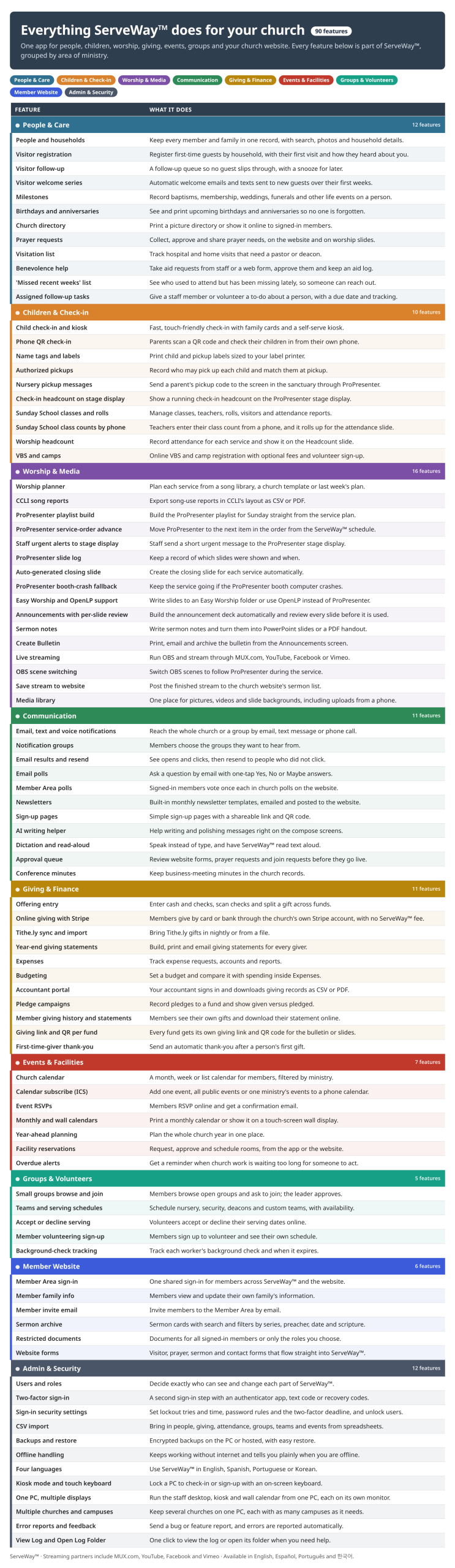
See every feature at a glance
Every feature in the ServeWay™ app and website plugin on one page.
Sunday slideshows, built for you
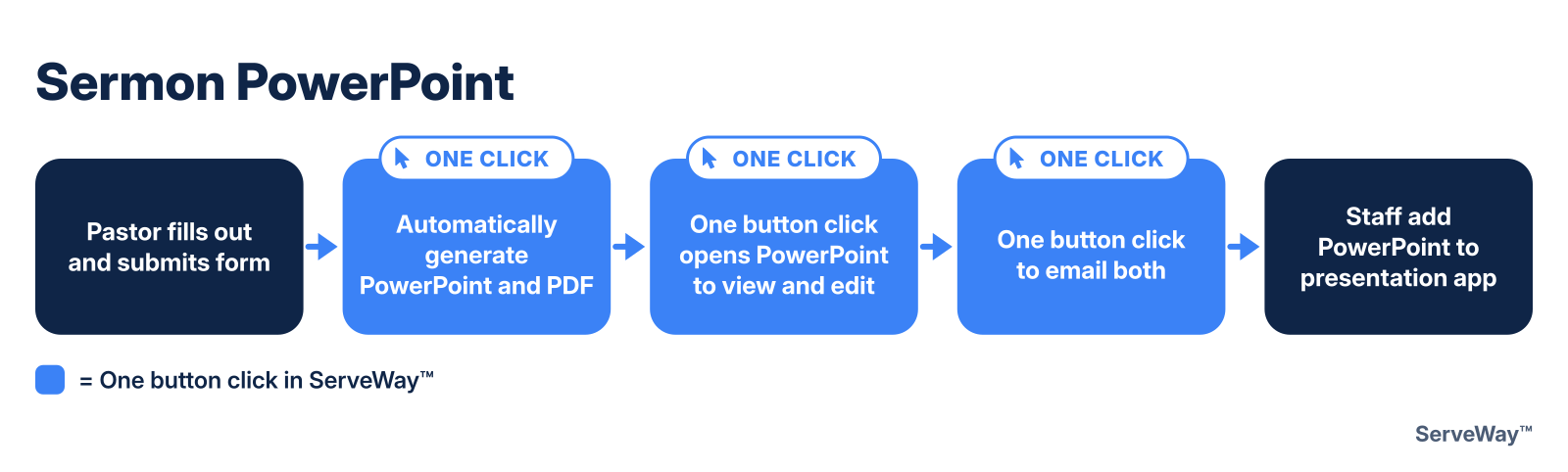
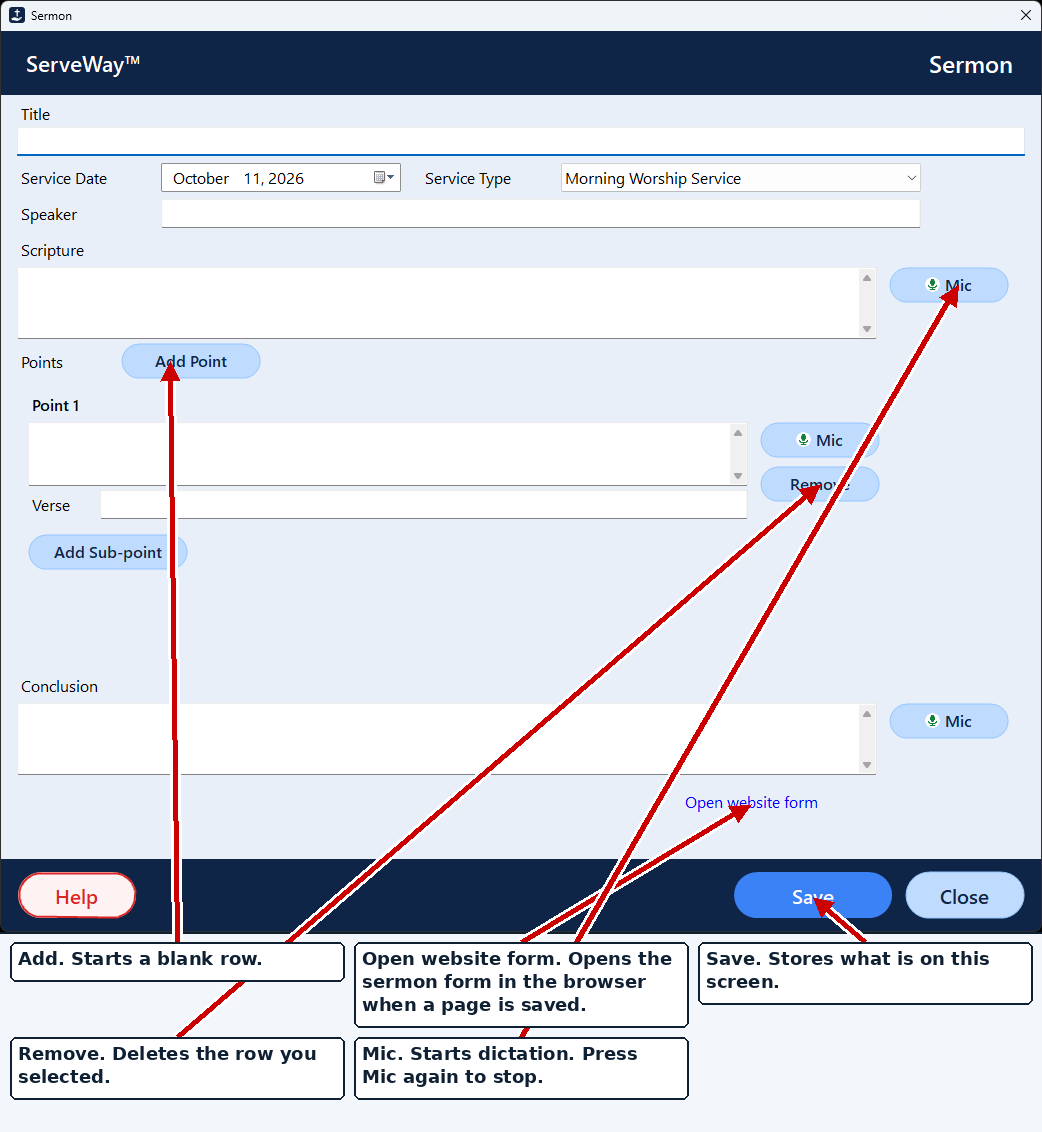
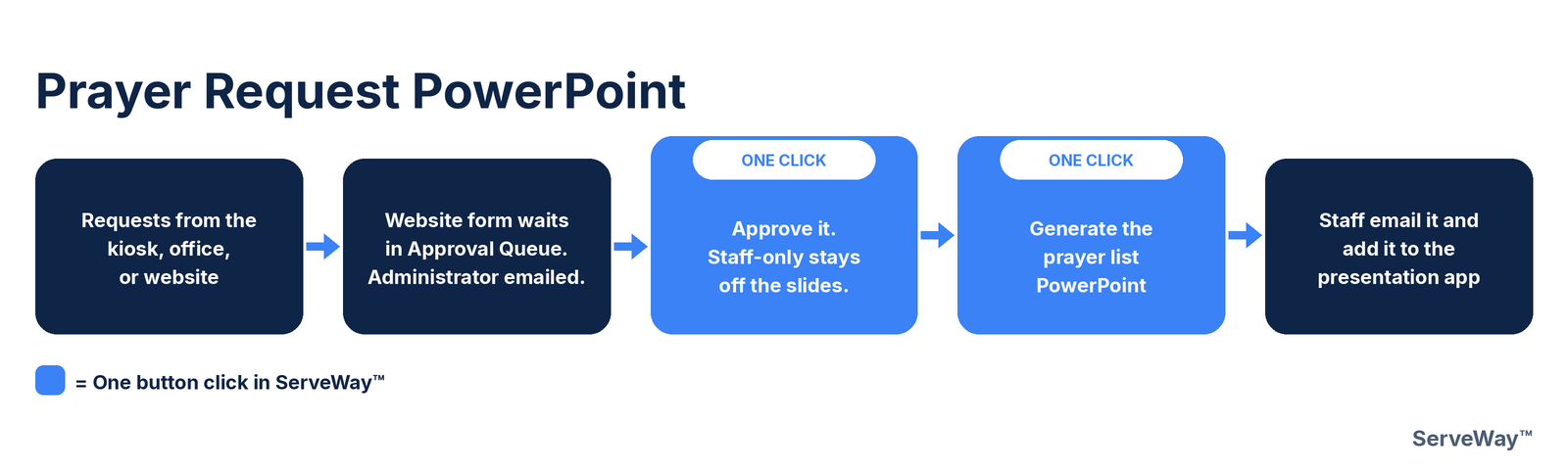
The pastor fills out a short sermon form on the church website. In the office, one click on Generate Word And PowerPoint turns it into the sermon slides and a printable notes handout. Generate Prayer List PowerPoint builds the prayer slides, and Create Announcements builds the announcement slides and a PDF handout from your own template.
How it helps: The outline the pastor typed once becomes Sunday’s slides, with no copying from one program to another.
Your WordPress site stays in sync with the app
The ServeWay™ plugin connects your church’s WordPress website to ServeWay™, so the site keeps up as you work. Mark a prayer request answered and it drops off the members’ prayer page. Update a family’s phone number in People and the online directory shows the new number. Website form requests come straight into ServeWay™ for staff to approve.
- Prayer list: website shows each active request’s short line
- Directory & Member Area: kept up to date from ServeWay™
- Website forms: prayer requests come in with Read Emails; staff approve each one
- Facility requests land in the Approval Queue
- Calendar & events: bookings show on the website calendar when staff approve them for it
- Cloudflare Turnstile blocks junk form submissions
How it helps: Change it once in the office and the website keeps up.
Church Directory
Your church directory, always current. Family photos, households, phone numbers and addresses stay up to date in ServeWay™, and you can print a directory whenever you need one. Signed-in members can browse the directory on the church website and update their own household information. Each member chooses what appears in the directory, from just a name and an optional photo to full contact information and address.
How it helps: No more chasing updates or reprinting outdated directories.
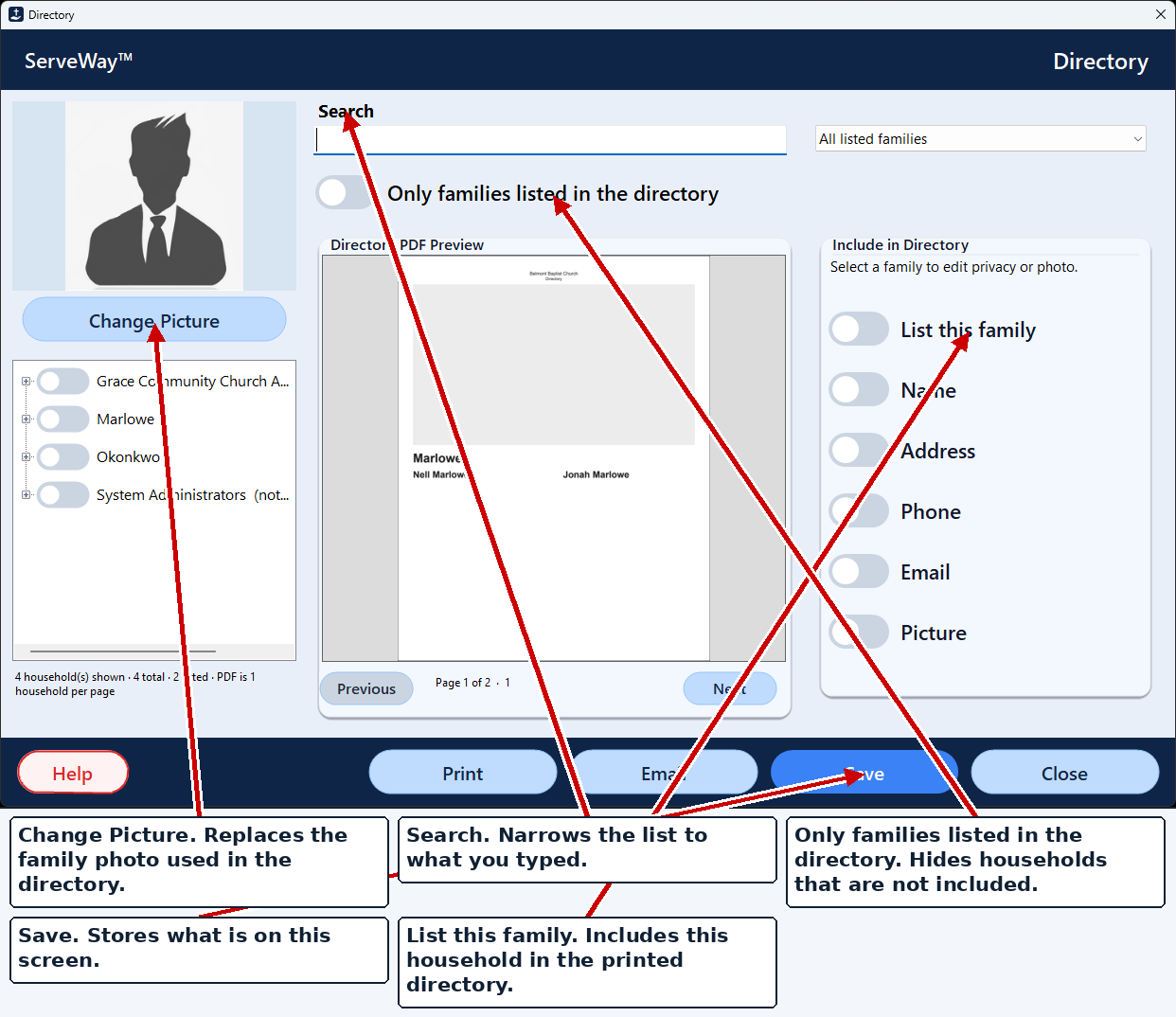
- Member sign-in
- Search
- Household card
One click puts Sunday’s service on the website
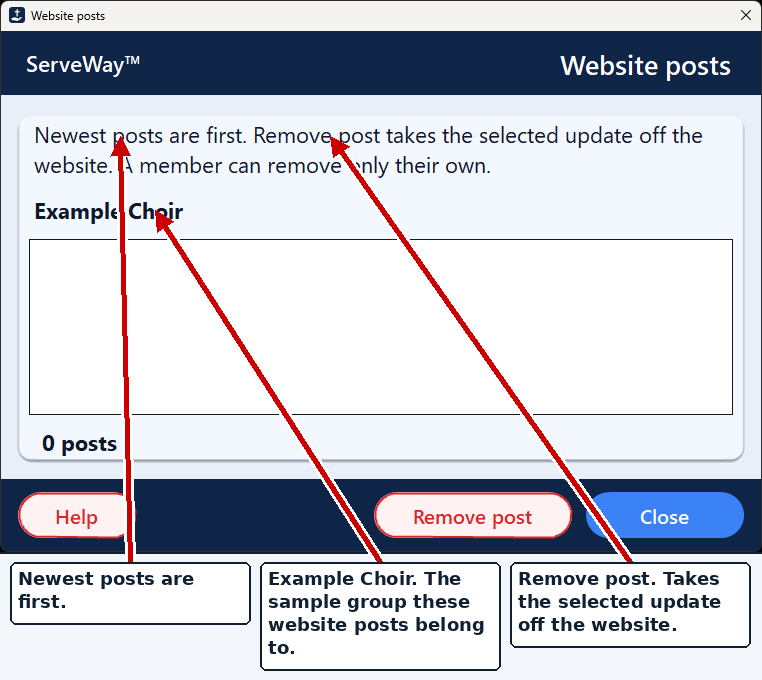
When the stream ends, press Save Stream To Website. ServeWay™ reads the pastor’s sermon form for the title, scripture, and date, uses the speaker named on the form, and finds Sunday’s sermon notes and announcements PDFs. Staff check it, then one click on Upload to Church Website sends it all.
- Sermon video (MUX.com recording, or YouTube / Facebook / Vimeo watch page)
- Title, date, speaker, service type
- Scripture references and verse text
- Thumbnail picture, made by AI (if your church has an AI service) or picked from online or a local file
- Sermon notes PDF and announcements PDF
How it helps: Posting Sunday’s sermon goes from typing every detail into the website to a quick check and one click.
No paid sermon plugin needed. The ServeWay™ plugin has its own sermon library, so there’s no JetEngine ($75 a year) to buy. See ServeWay™ for WordPress
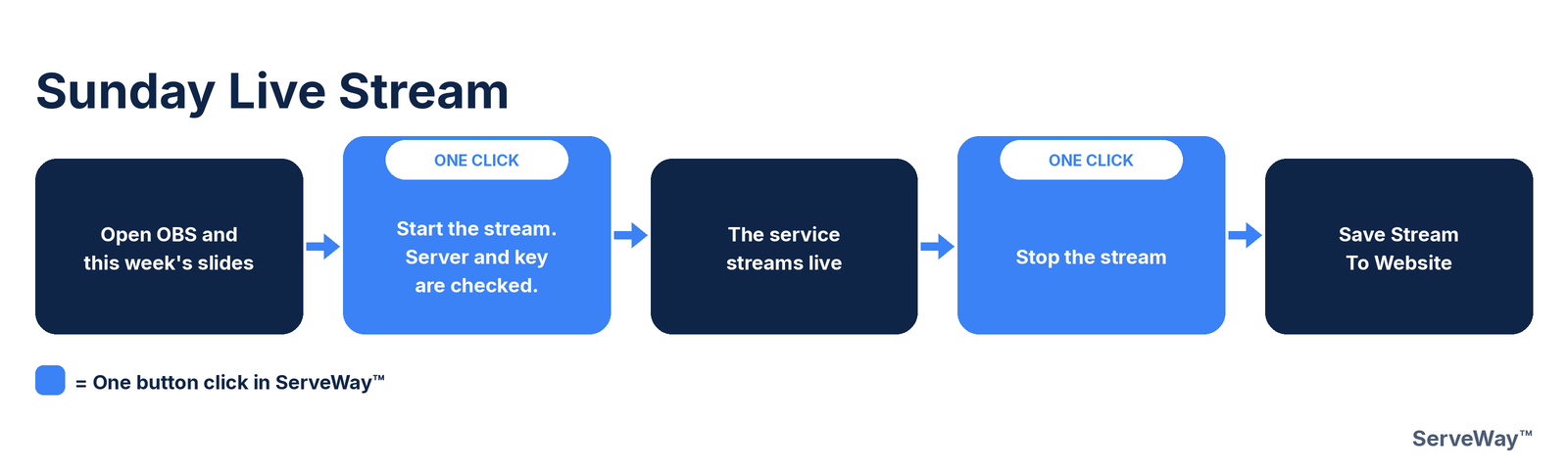
A week with ServeWay™
Monday
The pastor’s sermon form arrives. One click on Generate Word And PowerPoint makes the slides and handout.
Tuesday
Website prayer requests come in with Read Emails. Approve them, then Generate Prayer List PowerPoint.
Wednesday
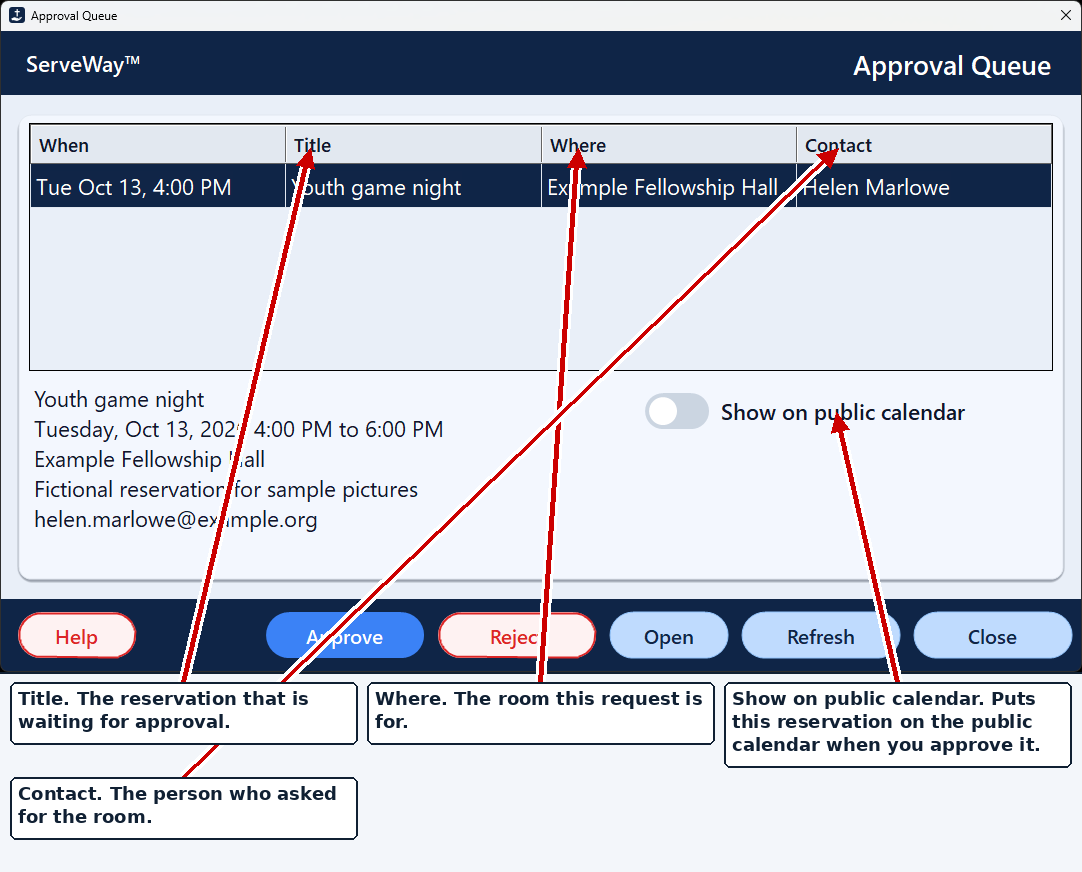
The youth leader’s Fellowship Hall request is in the Approval Queue. Approve it: it shows on the calendar and lobby display.
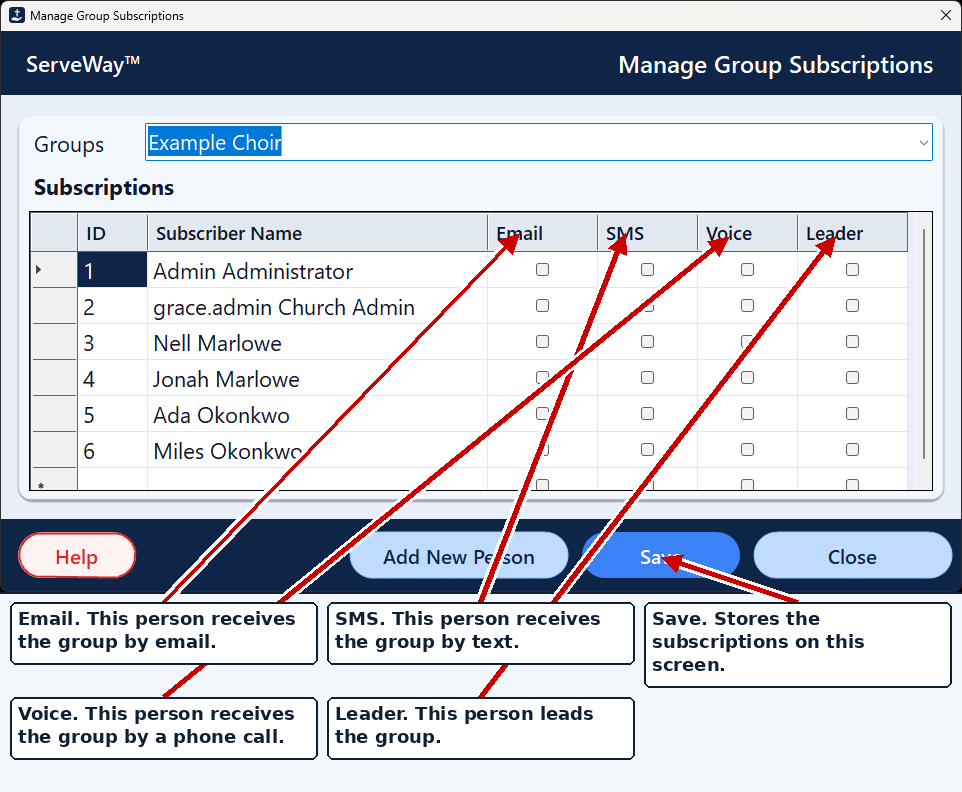
Friday
Choir rehearsal moved? One message to the choir group by text, email, and voice.
Saturday
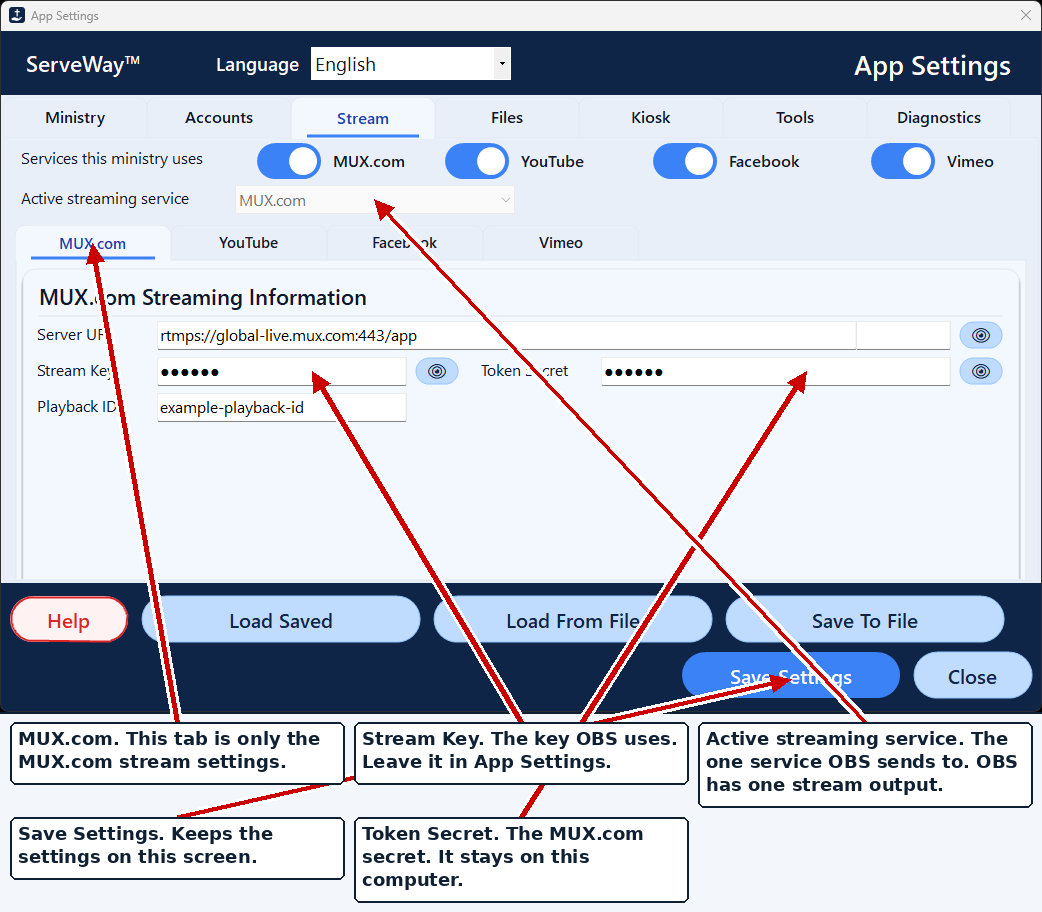
The stream volunteer opens Live Stream. The right stream key is already in OBS.
Sunday
Children checked in with matching labels, the service streams, and one click puts the sermon on the website.
Church calendar & facilities, with an Approval Queue and lobby display
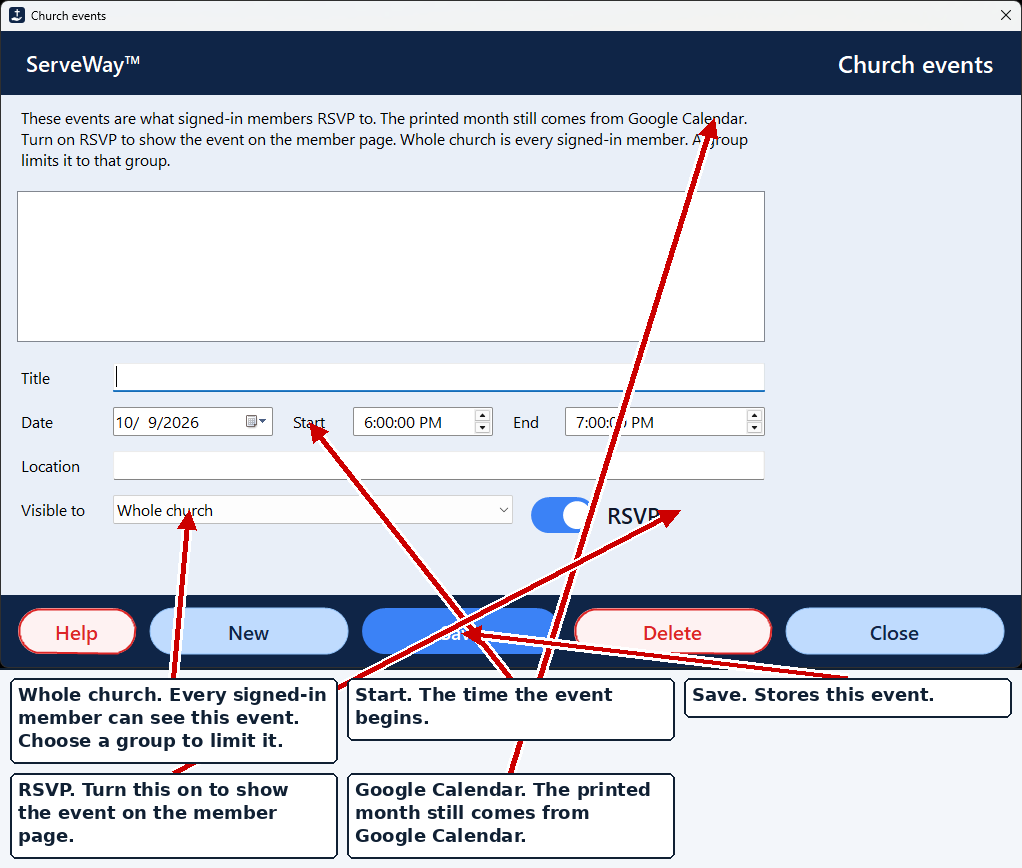
Request the Fellowship Hall or a classroom with the title, purpose, head count, and times. It waits in the Approval Queue until staff approve it, then it is written to the facilities calendar, and to the public calendar when Show on public calendar is checked. A lobby touch screen can show the calendar all day.
How it helps: No double-booked rooms. A changed booking goes back for approval automatically.
Child check-in with labels and authorized pickups
Type two letters of a child’s name and tap the child. Allergies, medical notes, photo, class, and pickup adults fill in from last time. One click checks the child in with a six-digit matching number; one more prints a child label and a pickup label.
How it helps: Faster lines at the door, and each child goes home with the right adult.
- Two letters and returning children pop up
- Allergies and Medical on the same screen
- Print Child & Pickup Labels with matching number
- Name, relationship, optional photo
- Volunteer sees who may pick up, with photo
Live streaming with guided OBS setup
ServeWay™ works with the free OBS Studio program to stream to MUX.com, YouTube, Facebook, or Vimeo. Guided setup asks which services you use, then ServeWay™ writes the right server address and stream key into OBS and checks it again right before the stream starts.
How it helps: The stream volunteer never copies a stream key into OBS.
Who it helps
- Sunday slides and handouts built from forms already filled out
- Facility requests wait in one Approval Queue, not in emails and voicemails
- After the service, one click puts the sermon, scripture, and PDFs on the website
- Year-end giving statements built from the offering records
- Check-in: two letters, tap the child, print the labels
- Stream: the stream key is put into OBS for you
- Greeters: register a guest and print a name tag
- Big buttons and an on-screen keyboard for the lobby touch screen
- Sign in on the church website to see the directory and prayer list
- Send a prayer request from the website form
- See what’s happening on the lobby and church calendars
- Get messages by email, text, or phone call
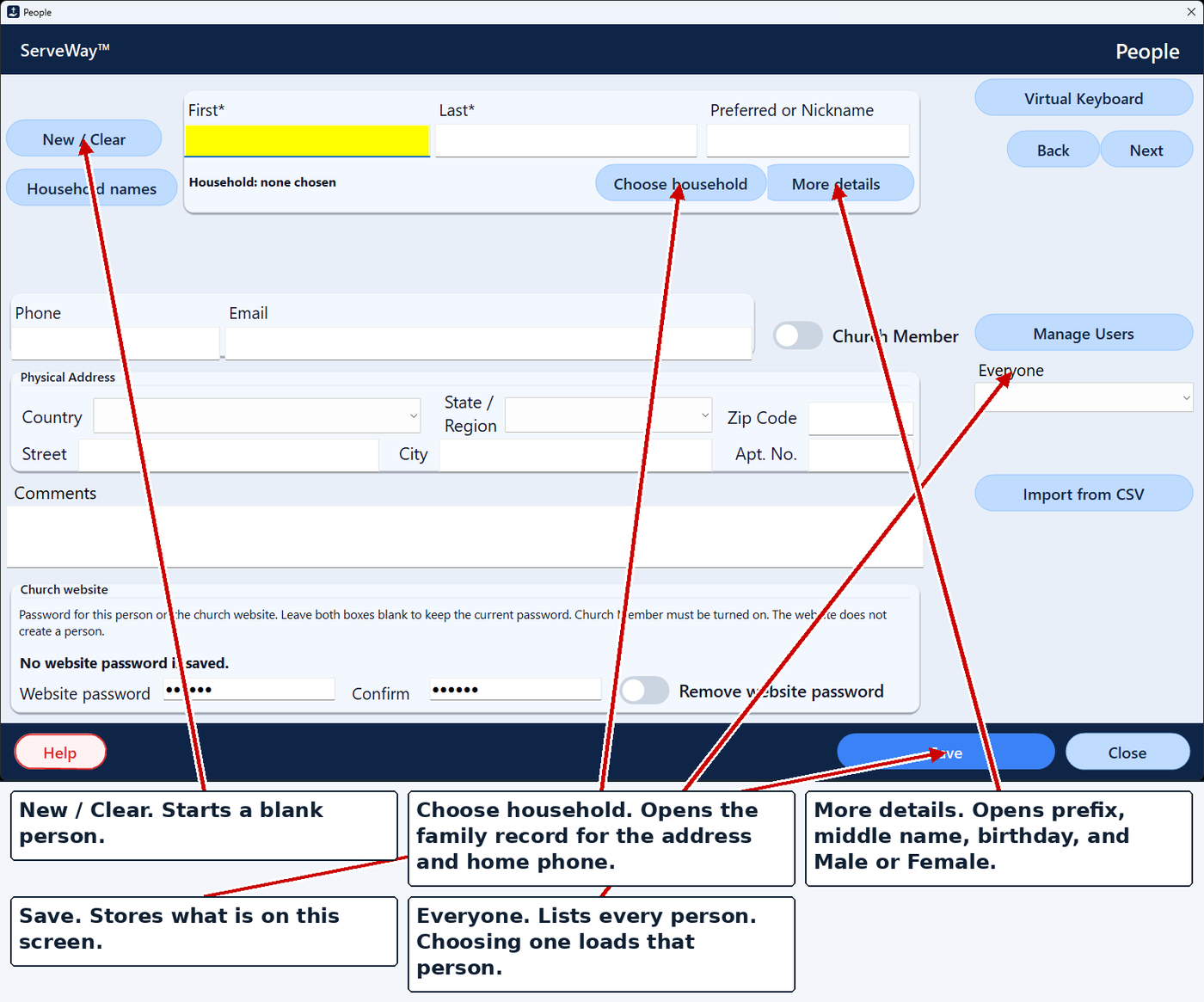
People
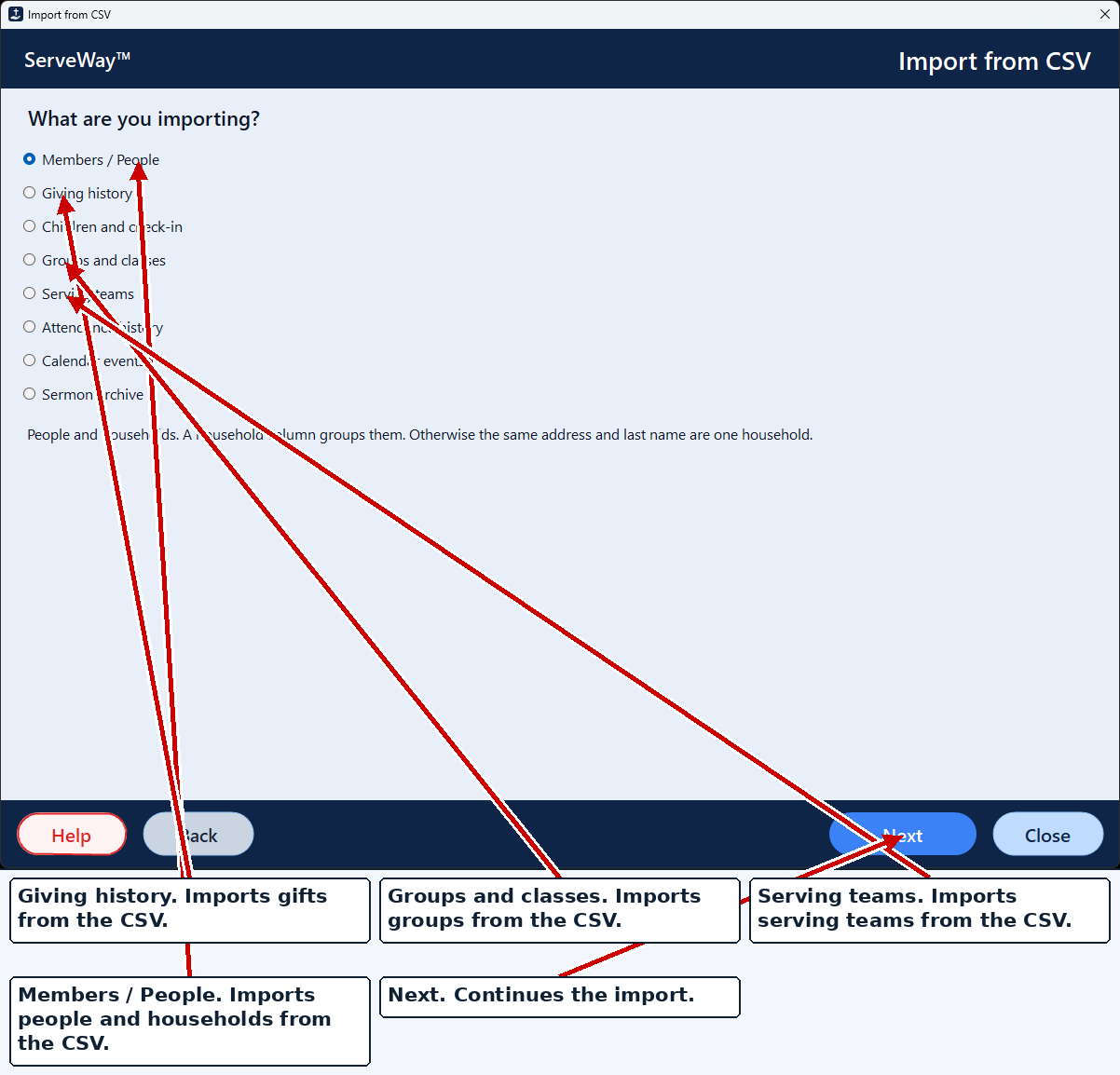
Keep every member, family, and visitor in one list with phones, emails, and households. Bring your member list in with Import from CSV instead of entering names one by one.
How it helps: A family’s address is entered once and used for check-in, the website, and notifications.
Notifications by email, text, and voice
Type a message once and send it to the choir, the deacons, Sunday School teachers, or everyone. Each person can get email, text, voice, or any mix. Voice can be your own recording or typed text read aloud.
Send from the ServeWay™ app on your PC, or from a bookmarked web form on your smartphone.
It handles what churches count on services like One Call Now for: planned events, last-minute changes like weather closings, and prayer requests, sent by email, text, or voice to the groups you choose.
Your church controls the call flow and the branding, so messages come from your church’s own number and voice. Sample call flows are available from ServeWay™ to get you started.
How it helps: A snow-day closing reaches everyone in one send, the way each person prefers.
Requires a Brevo account for email (free for up to 300 emails a day; more needs a paid Brevo plan) and a Twilio account for texts and voice calls (Twilio charges per text and per call). Those services bill the church directly.
Compared to services such as One Call Now, savings can be substantial, over 50% in some cases. One church paid almost $1,000 a year and estimates about $350 a year with ServeWay™, Twilio, and a free Brevo account, based on its usual calls and texts.
And much more
Click any feature to learn more.
Visitor registration
Mark guests present and print a name tag.
Sunday School
Classes, teachers, attendance roll, reports.
Offering
Scan checks; it suggests giver, amount, check number, fund.
Optional AI check reading
Reads a blank amount. Bank and account numbers are not sent.
Tithely import
Online gifts come in, skipping any already imported.
Year-end statements
Preview, print, save, or email.
Expenses
Reimbursement requests and a printed report.
Monthly calendar
Pick a month and print it.
Contact requests
Saved for staff follow-up.
Roles & permissions
Each person sees only their areas.
Features on/off
Hide areas your church doesn’t use.
Ask ServeWay™
Optional AI help that answers from the manual.
Voice interface
Spoken help, welcome messages, and dictation.
Label printer setup
Choose printer and label size once.
Four languages
English, Spanish, Portuguese, and Korean in the app and plugin.
Pay once. No monthly bill for the ServeWay™ application.*
| ServeWay™ | |
|---|---|
| Price | $99 one time* |
| Cost over 3 years | $99 |
| Free trial | 45 days |
Runs on Windows 11 Pro. Some features require Microsoft PowerPoint and Word.
* The ServeWay™ license is a one-time purchase. Optional services are billed monthly by those providers if your church chooses to use them: Twilio for text and voice notifications, an AI company for AI features, and paid database hosting, including Hosted by ServeWay™.
Your site comes with a Member Area
Members sign in to one Member Area on your church website. Everything in it feeds the same ServeWay™ records your staff already use, so there’s nothing to copy over and nothing to keep in sync.
Church Directory
Members find each other’s contact details, kept up to date from ServeWay™.
Prayer Requests
Members share requests and see the church prayer list.
Events RSVP
Members say they’re coming, and staff see the count in ServeWay™.
Groups
Members see the groups they belong to.
Serving
Members see where and when they’re serving.
NEWCanvass
Team leaders see their streets on a phone and tap each door’s result. Prayer and visit requests go straight into ServeWay™ as Prospects.
Polls
Ask members a question and see the answers.
Church Calendar
Members see what’s coming up at church.
Class Count
Teachers enter attendance from a phone.
Member Documents
Files that only signed-in members can open.
Safe, simple sign-in
Members sign in with their name and password. The website uses the same two-step sign-in setting as the ServeWay™ app: if a person turned on two-step sign-in in the app, the website asks for their authenticator code too, after their name and password are correct. Same login, same protection, on both.
The code box appears only after a correct name and password, and only for people who turned on two-step sign-in. If a member gets locked out, your staff can reset them.
Member pages come with the ServeWay™ app and need your ServeWay™ database hosted online (Hosted by ServeWay™ or with a third-party hosting provider). A database on a single PC can’t power member pages.
Try the member featuresTry it on your church’s own computer.
Free for 45 days. Then $99, one time. ServeWay™ runs on Windows 11 Pro.
Download the free 45-day trial