ServeWay™ runs your church office, check-in, Wall Calendar displays, and live streaming from one system. ServeWay™ can run on hardware you already have, or we can supply pre-configured mini PCs with ServeWay™ installed, check-in kiosks, Wall Calendar displays, and streaming systems.
How it fits together
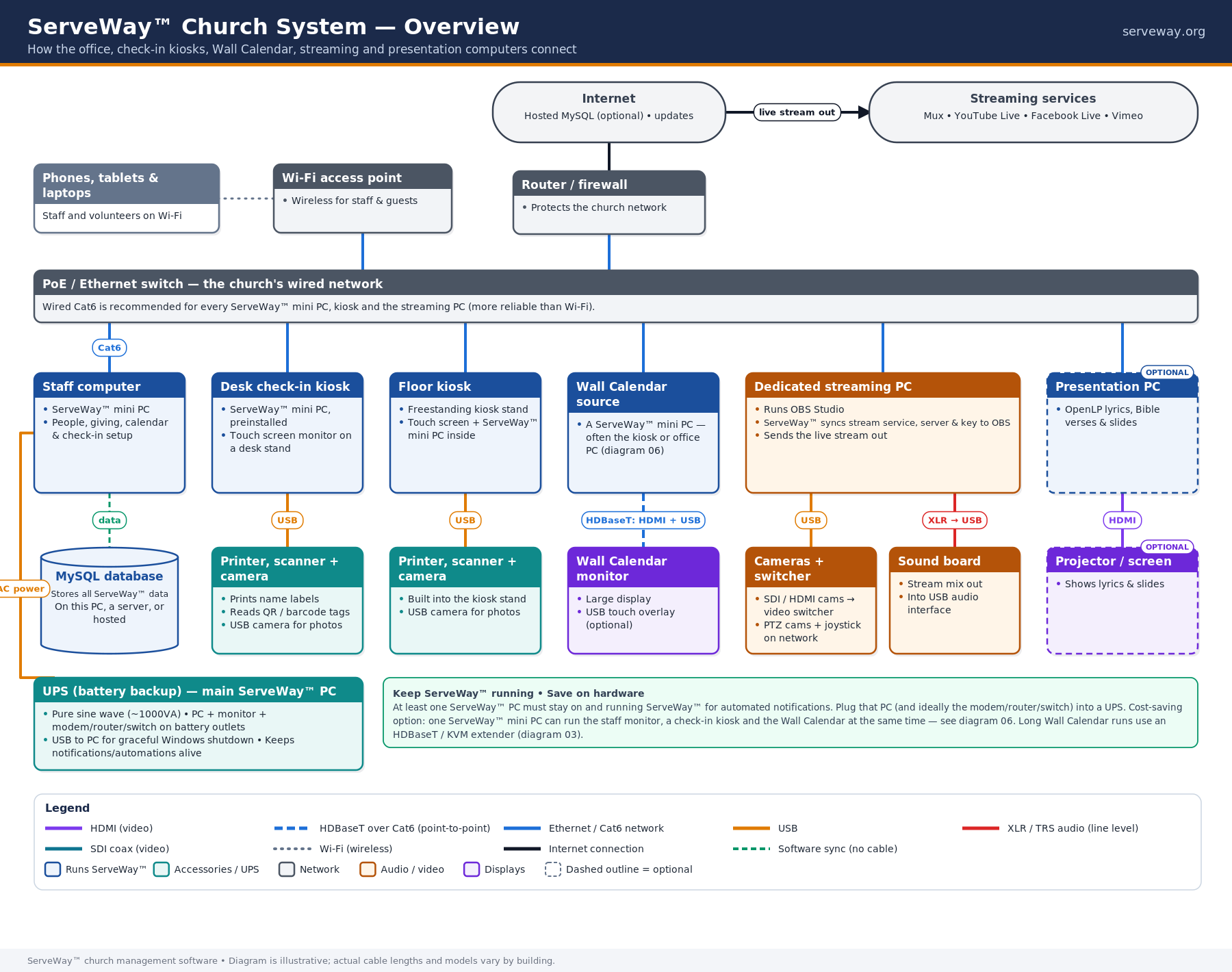
Whole-church system overview
This diagram shows how every part of ServeWay™ connects across your building: the office, check-in stations, Wall Calendar displays, and your streaming and sound gear. Everything ties back to your ServeWay™ PC over your church network, so information entered once shows up everywhere it is needed.
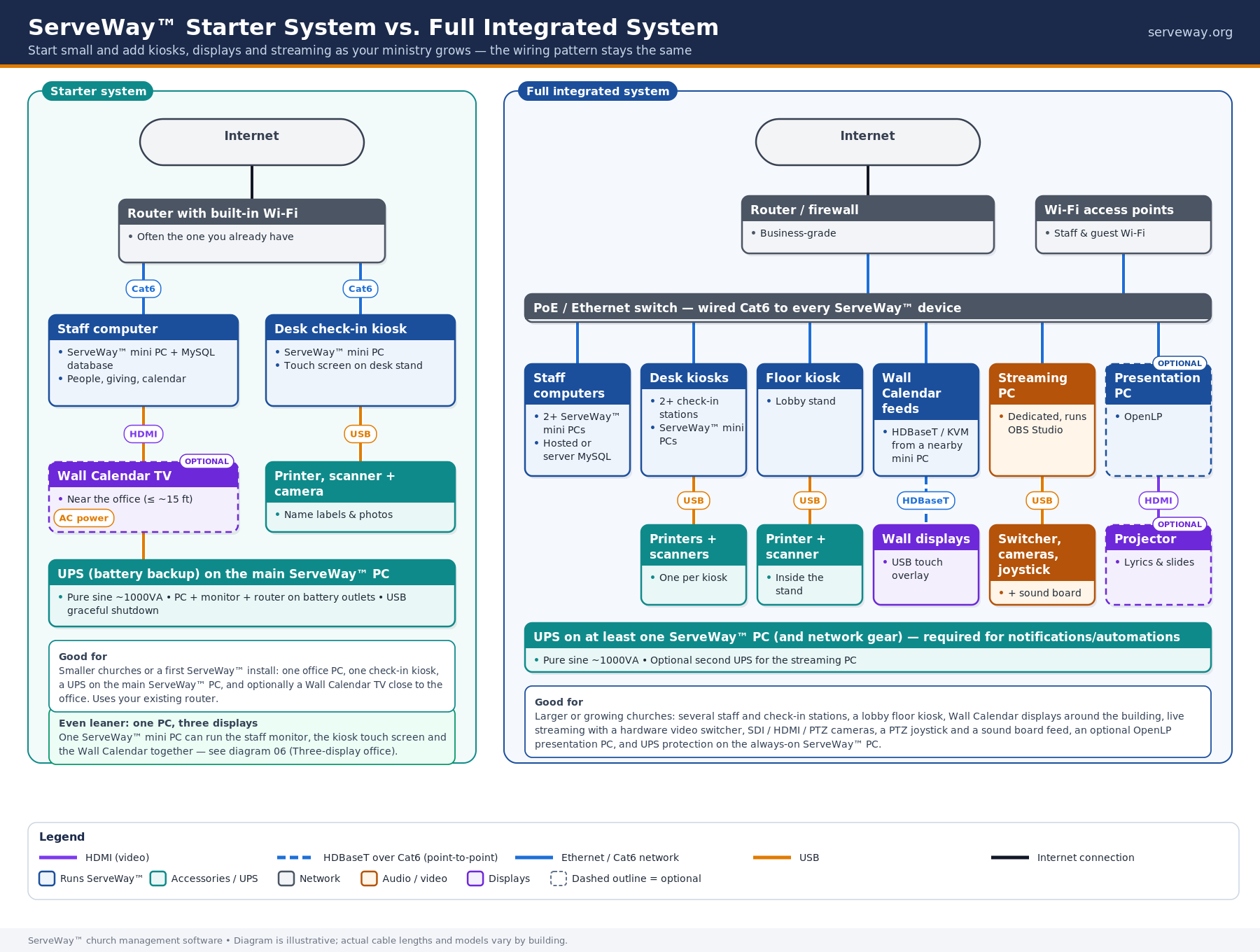
Starter vs. full system
You don’t have to do everything at once. A starter system covers the essentials with minimal hardware, while a full system adds more kiosks, displays, and streaming. You can begin small and grow into the full setup as your needs change.
Recommended layout
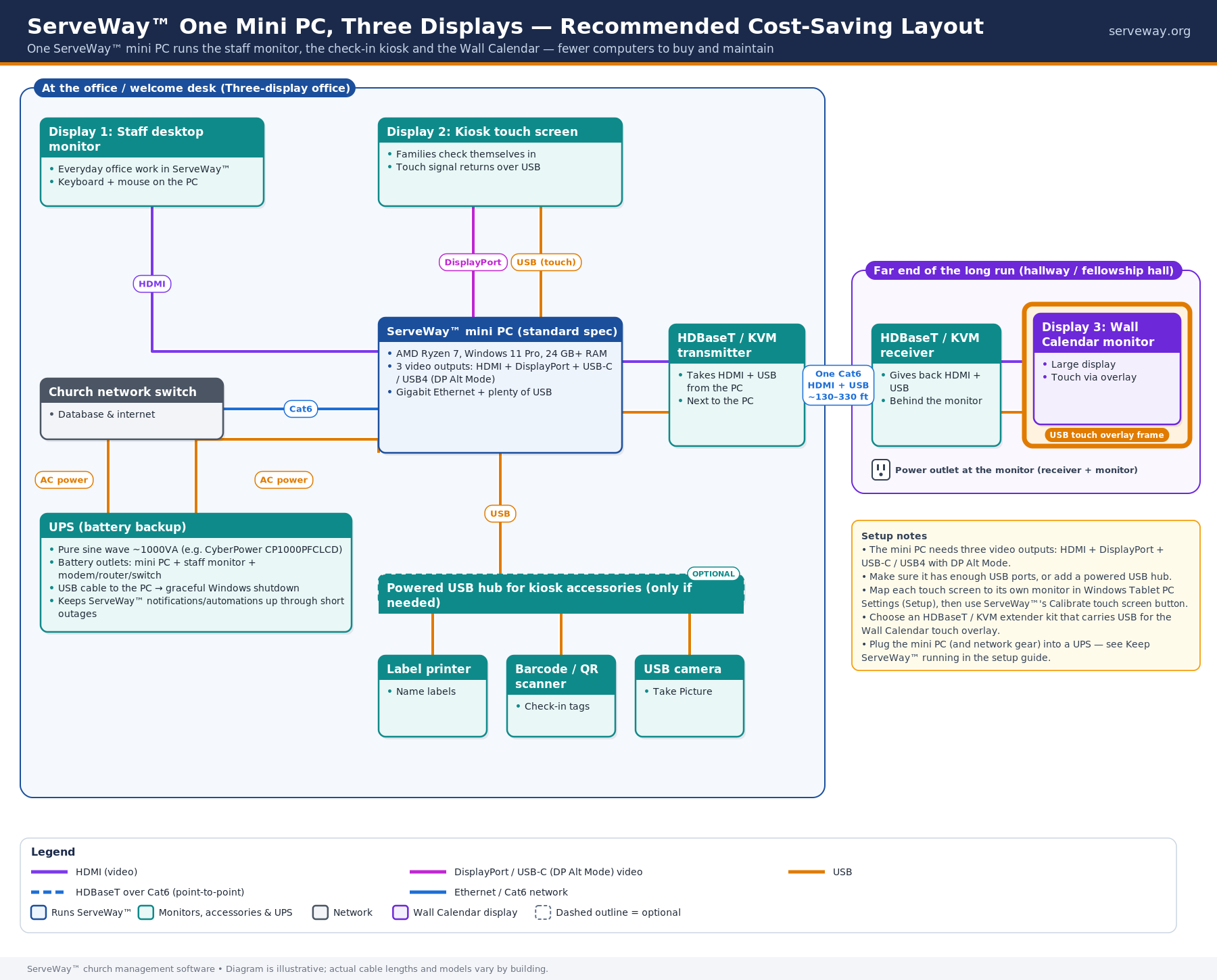
Recommended: one mini PC, three displays
For most churches, we recommend a single mini PC driving three displays. One compact computer handles everything, which keeps setup simple and costs down.
The details
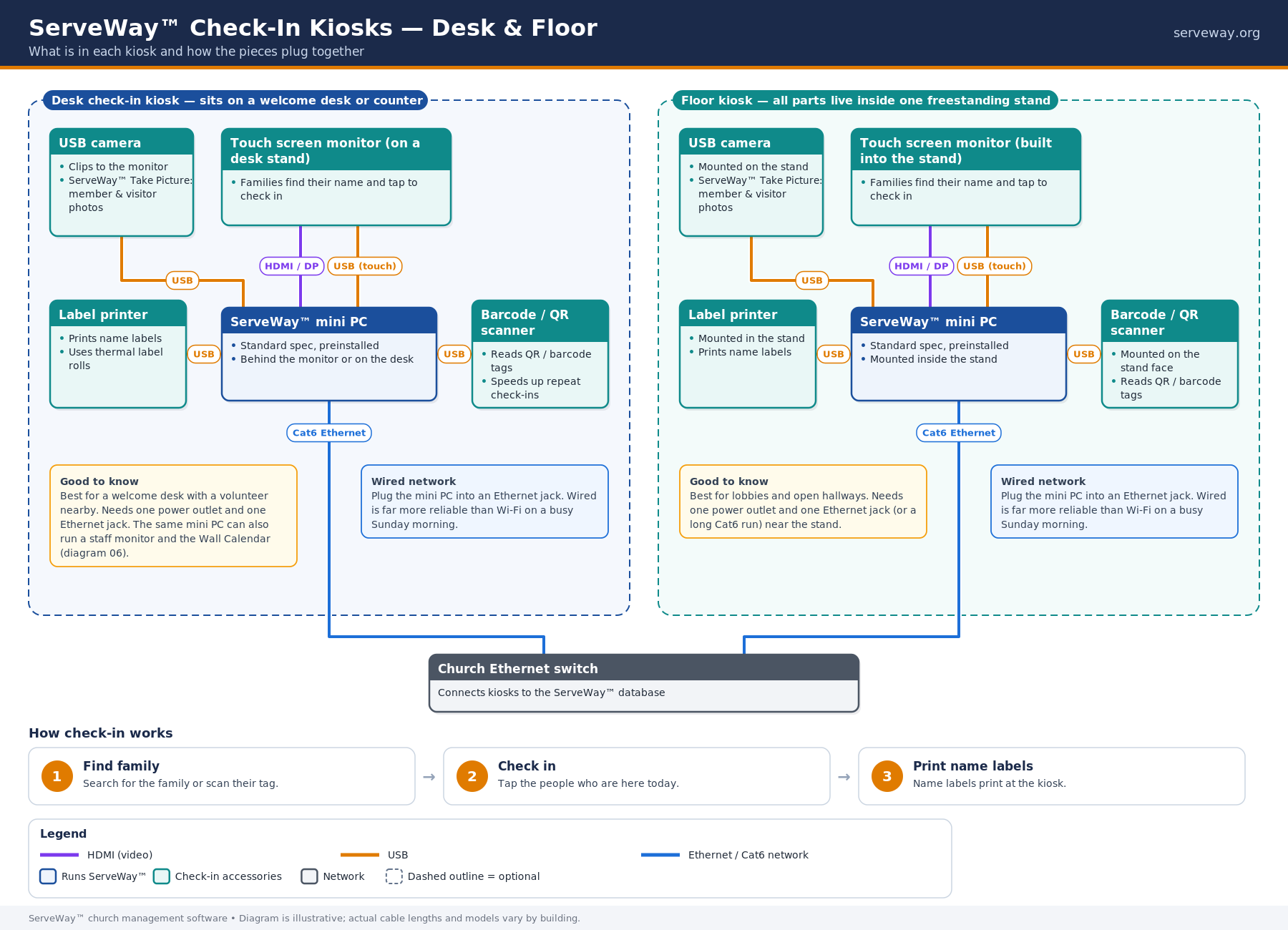
Check-in kiosks
Check-in kiosks let families check in children and visitors quickly when they arrive. Each kiosk connects to ServeWay™ and can print name tags and security labels. Add as many kiosks as you need for busy entrances.
Wall Calendar wiring options
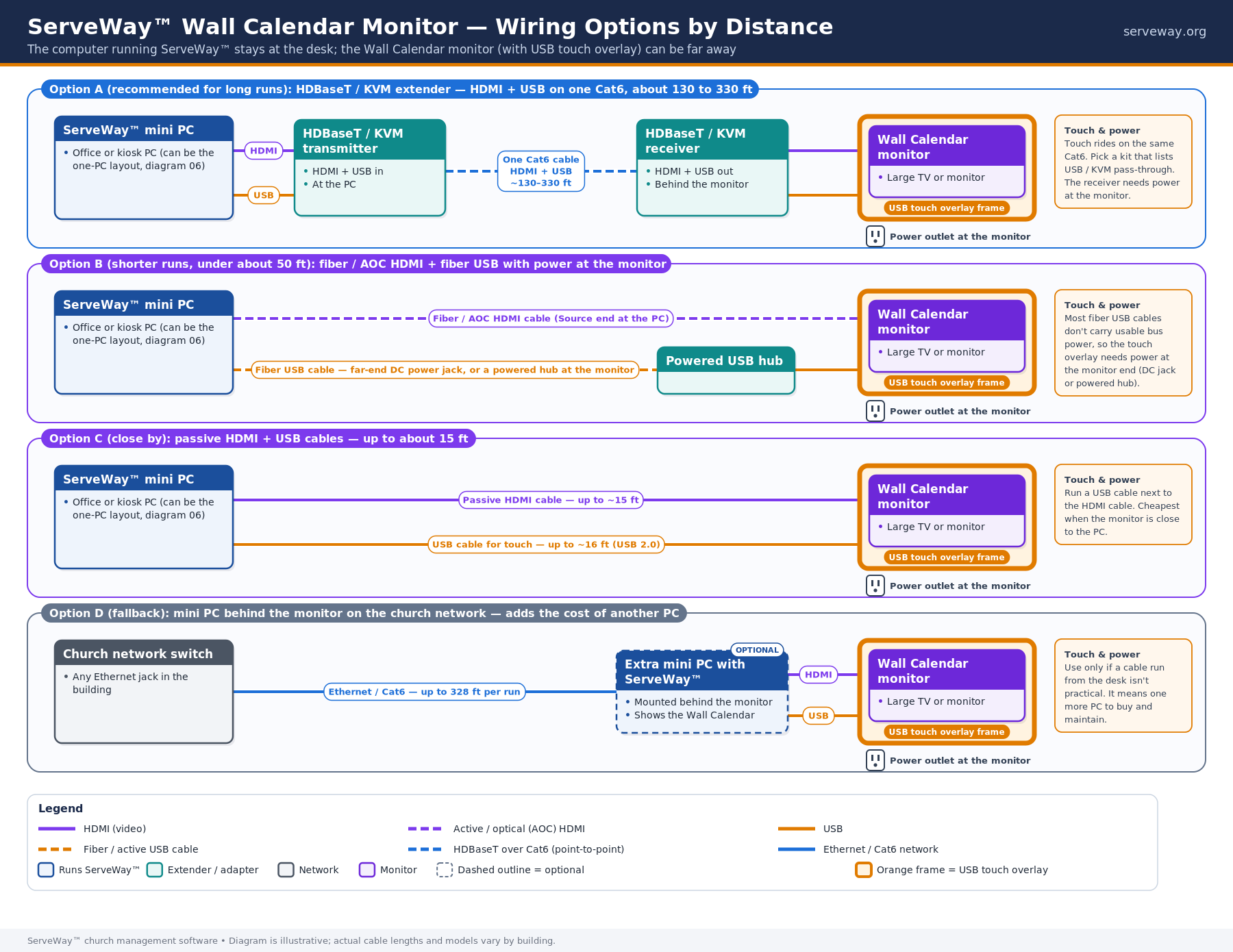
The Wall Calendar shows your church schedule on a screen in a hallway or lobby. This diagram shows the different ways to connect the display, whether with a direct cable from the PC or over your network. Pick the option that matches where your screen will hang and the cabling you have.
Live streaming and sound
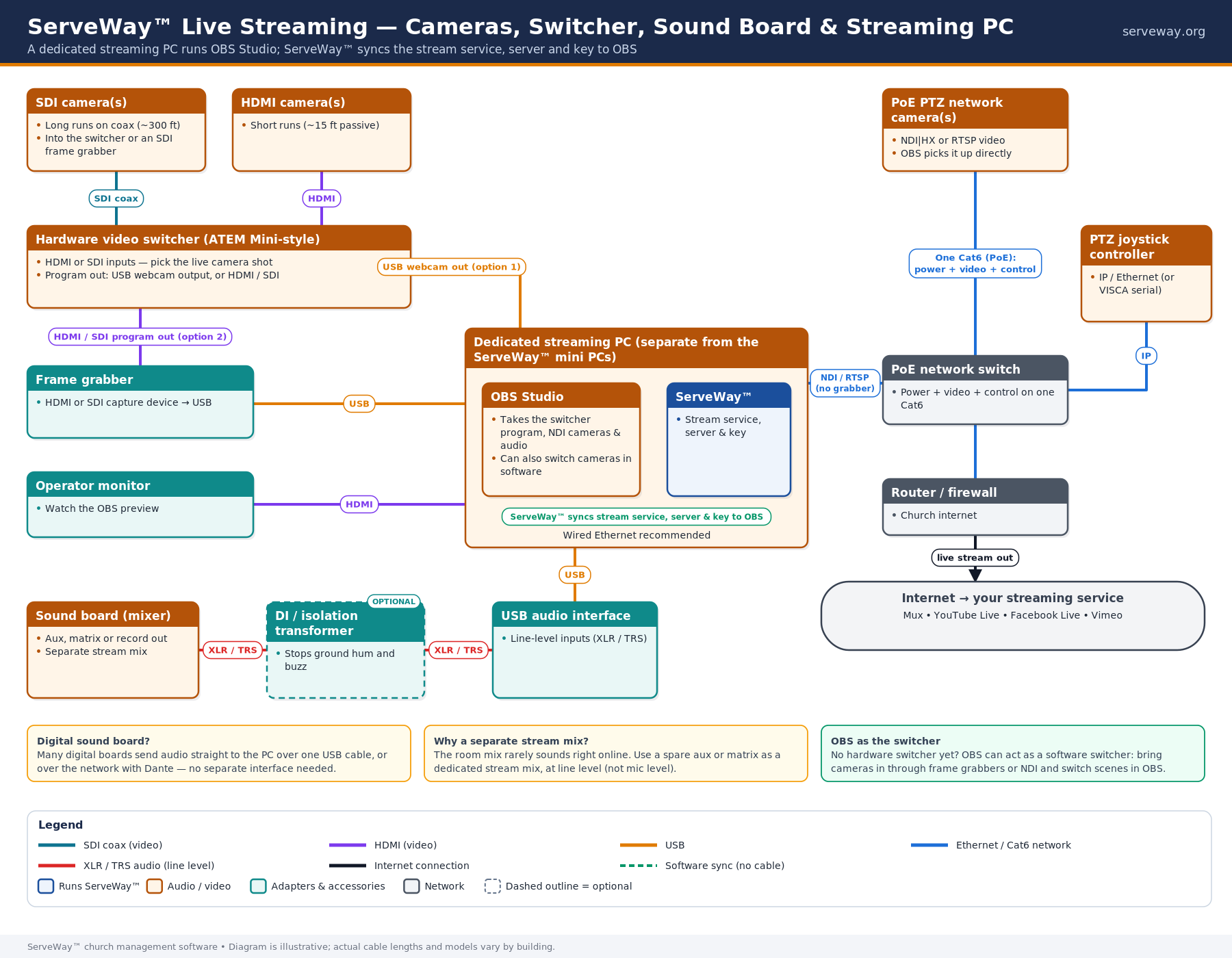
ServeWay™ can work with your cameras and sound board to stream services online. This diagram shows how the audio and video come together and go out to your stream. It helps you see what equipment you need and where each cable goes.
Service options
Self-install bundles: our pre-configured bundles ship ready to plug in, with ServeWay™ already installed, so you can set things up yourself.
Keep ServeWay™ running: put your main ServeWay™ PC on a UPS battery backup. Notifications and automations only run while at least one ServeWay™ PC is on and running ServeWay™. Pre-built bundles include a CyberPower CP1000PFCLCD UPS (optional on the Streaming kit).
Full on-site installation: available by quote once your cabling is in place. We will come in and set up and test the whole system for you.
Questions or want a quote? Call Sales at (770) 746-3607 or email support@serveway.org.
Coming soon: ProPresenter & OBS integration
ServeWay™ will soon connect with ProPresenter 7 and OBS Studio so one presenter can drive the room and the live stream, with scripture hand-off and automatic scene switching.